
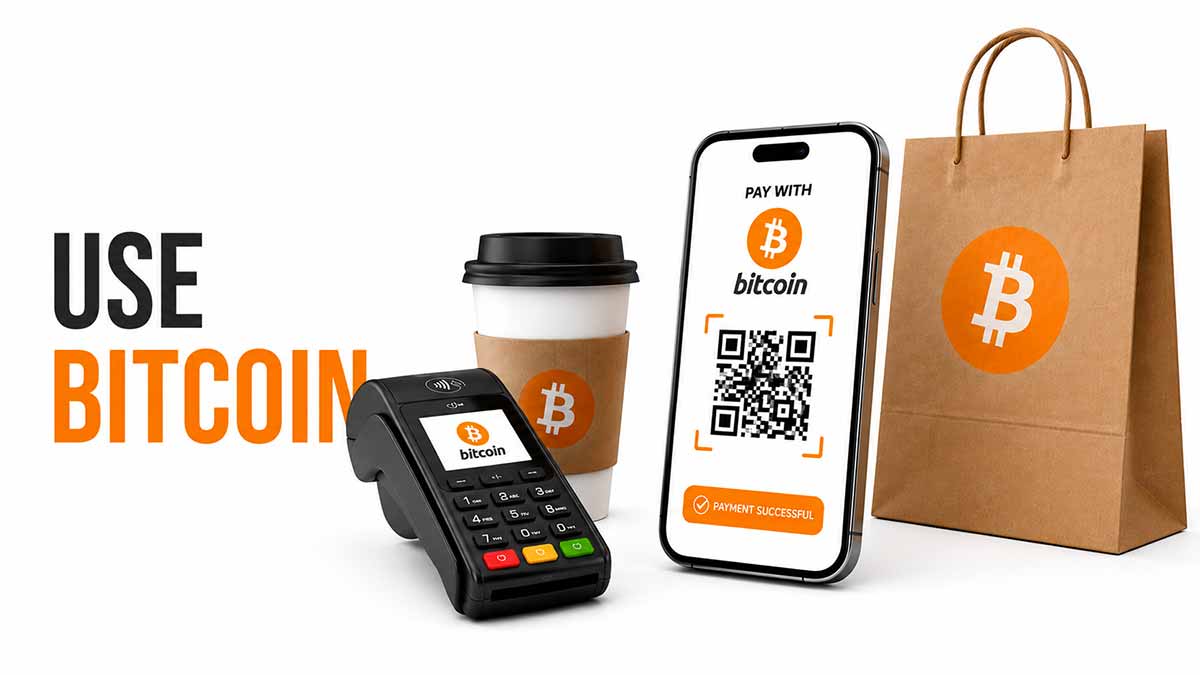
The dominant narrative about Bitcoin used to be "store of value, not means of payment". That was technically true in 2017, when an on-chain transaction cost 20 USD and took an hour. In 2026, it is not anymore. Lightning Network is mature, mobile wallets make payments as smooth as Apple Pay, and BTCPay Server opens acceptance to any merchant without intermediary.
Using Bitcoin in practice goes beyond buying and holding. Four use cases coexist : sending and receiving between wallets, paying a merchant in store or online, accepting bitcoin on the business side, and reasoning in sats rather than BTC for small amounts. Each has its own technical logic, tools and pitfalls.
This guide opens the Use topic : anatomy of a transaction, choice between on-chain and Lightning depending on the amount, reading the mempool and fees, meaning of confirmations, QR formats to recognise, setting up a merchant terminal, and reasoning in satoshis. Seven articles then drill into each dimension.
Four major use cases in 2026
Four use cases cover the vast majority of daily Bitcoin use in 2026, in growing penetration order.
| Use case | Main tool | 2026 adoption | Bitcoin layer |
|---|---|---|---|
| Paying at a merchant | Lightning mobile walletWalletSoftware or device that manages your Bitcoin keys and lets you sign transactions. A wallet does not really « hold » your bitcoins, it holds the keys that prove you own them.See in the lexicon → | ~12,000 shops in DACH/French-speaking Switzerland | Lightning (95 %), on-chain (5 %) |
| P2PP2P (peer-to-peer)Direct exchange between two people, with no centralised platform in between. Bisq, HodlHodl and AgoraDesk are P2P platforms.See in the lexicon → payments (gifts, help, freelance) | Mobile wallet, Lightning AddressLightning AddressEmail-style address (alice@strike.me) that lets you receive Lightning payments without generating an invoice each time.See in the lexicon → | Daily within bitcoinerBitcoinerPerson interested in Bitcoin, who holds some and adheres more or less to its values (individual sovereignty, sound money, decentralisation).See in the lexicon → circles | Lightning mostly, on-chain for big amounts |
| Salary and international freelance | Bitwage, Strike, direct employer | ~80,000 freelances and 500 companies in Europe | On-chain (monthly salaries), Lightning (micropayments) |
| Travel and foreign spending | Bitcoin card (Bitrefill, Strike, Pocket) | Common practice, especially outside the eurozone | Lightning + instant fiatFiat (fiat currency)State currency with legal tender status (euro, Swiss franc, dollar), issued by a central bank and not backed by a physical asset. By contrast, Bitcoin has an issuance capped at 21 million units, with no central issuer.See in the lexicon → conversion |
Four qualitative observations on the 2026 market.
- Paying at merchants has shifted to Lightning. Five years ago, paying a 4 EUR coffee in Bitcoin was a tech demo: 20 minutes waiting, 1 EUR fees. Today, scan a Lightning QR, 2-second confirmation, 0.002 EUR fees. The BTC Map (btcmap.org) lists ~12,000 Bitcoin-accepting shops in DACH/French-speaking Switzerland, up from ~2,500 in 2021. LuganoLugano (Plan ₿)Swiss city that launched a Bitcoin adoption programme in 2022 (tax payments, shops, events). The annual Plan B Forum has become a European fixture.See in the lexicon →, some cantons in Valais and St Gallen, the Bedford-Stuyvesant area of New York, and obviously El SalvadorEl SalvadorFirst country to adopt Bitcoin as legal tender, in September 2021 under Nayib Bukele. Its status was amended in 2025 under IMF pressure.See in the lexicon → concentrate the density zones.
- P2P explodes thanks to Lightning Addresses. A Lightning Address (`alice@walletofsatoshi.com`) looks like an email and works as simply: type the address, enter the amount, send. Near-instant, with no noticeable fees, without revealing your on-chain wallet. Became the norm in bitcoiner circles for tipping, family help, friend dares, fast freelance payments.
- Salary in sats is professionalising. Bitwage (US) and several European competitors (BitPay Payroll, Baltic fintechs) let an employer pay part or all of a salary in Bitcoin, respecting local payroll and country tax law. ~80,000 freelances and ~500 companies (mostly tech) in Europe use such services in 2026. International freelance contracts saying "Bitcoin payment accepted" have become routine.
- Travel is the most mature use case. Visa/Mastercard Bitcoin cards (issued by Bitrefill, Strike, Pocket, partially Relai), sats-to-EUR/USD conversion at spend, competitive rate. Major upside: no hidden FX fees like with regular bank cards, and access to sats even outside a banking zone (citizens fighting forced dollarisation, long-haul travellers).
Four cases where Bitcoin is not yet the right tool in 2026, worth knowing not to force.
- Purchases at major chains (supermarkets, national chains). Lidl, Carrefour, Migros do not accept Bitcoin directly. Workaround: Bitrefill or Pocket prepaid cards converting sats to vouchers, but that adds friction.
- Recurring payments (rent, Netflix subscription). Lightning handles scheduled payments poorly. The natural instrument remains the fiat bank transfer. For rent, some progressive landlords accept a monthly Bitcoin transfer, but it is rare.
- Very small payments (under 0.10 EUR). Lightning handles cents well, but wallet ergonomy (open the app, scan, confirm) stays heavy for micropayments. Micro uses are better served by dedicated tools like Nostr Zaps or Podcasting 2.0 (streaming sats).
- Receiving large amounts on an unprepared account. Receiving 50,000 EUR in Bitcoin on a custodialCustodialModel in which a third party (exchange, broker, neobank) holds your private keys for you. You have a claim, not a bitcoin. « Not your keys, not your coins ».See in the lexicon → or poorly secured wallet is dangerous. The case warrants preparing a self-custodySelf-custodyModel in which you hold your own private keys. Your bitcoins depend on no third party. This is Bitcoin's founding promise.See in the lexicon → setup (cf. Conserver topic) upfront.
The technical bricks to understand
Four technical concepts structure all daily Bitcoin use. Mastering them lets you pick the right tool for the right task.
- On-chain vs Lightning. The on-chain layer is the Bitcoin blockchainBlockchainA public, shared ledger that records every Bitcoin transaction in blocks linked together cryptographically. Each participant in the network keeps a copy.See in the lexicon → itself: maximum security, finality after 1 to 6 confirmations (10 to 60 minutes), variable fees 0.30 to 10 EUR depending on mempoolMempoolWaiting area where Bitcoin transactions sit before being included in a block. The fuller the mempool, the higher the fees required.See in the lexicon → congestion. Suited to large amounts (~100 EUR and up), non-urgent payments, asset transfers. Lightning is a layer 2 (cf. Lightning article) built on Bitcoin: 2-second confirmation, fees 0.001 to 0.01 EUR, capacity up to ~5,000 EUR per payment in practice in 2026. Suited to daily payments, P2PP2P (peer-to-peer)Direct exchange between two people, with no centralised platform in between. Bisq, HodlHodl and AgoraDesk are P2P platforms.See in the lexicon →, commerce, travel.
- CustodialCustodialModel in which a third party (exchange, broker, neobank) holds your private keys for you. You have a claim, not a bitcoin. « Not your keys, not your coins ».See in the lexicon → vs self-custodySelf-custodyModel in which you hold your own private keys. Your bitcoins depend on no third party. This is Bitcoin's founding promise.See in the lexicon → walletWalletSoftware or device that manages your Bitcoin keys and lets you sign transactions. A wallet does not really « hold » your bitcoins, it holds the keys that prove you own them.See in the lexicon →. A custodial wallet (Wallet of SatoshiSatoshi (sat)The smallest unit of bitcoin. 1 BTC = 100 million satoshis. Named after the creator. In 2026, talking in sats becomes common as the price of one BTC rises.See in the lexicon →, Cash App, Strike, some Phoenix modes) keeps your keys for you: maximum ergonomy, opens sats with no seed phraseSeed phraseSequence of 12 or 24 words (usually in English) that encodes your master key. Universal wallet backup : with these words, you can restore your funds on any compatible software.See in the lexicon →, but the service can be frozen, censored or compromised. A self-custody wallet (Phoenix advanced mode, Muun, Aqua, BlueWallet, Sparrow) puts you in control of the keys: seed phrase to protect, but full sovereignty. For daily use, many users keep a small amount (50 to 500 EUR) on a custodial wallet for convenience, and the bulk on self-custody (cf. Store guide).
- Addresses, QR codes, Lightning Addresses. A Bitcoin on-chain address starts with `bc1q...` or `1...` (legacy) and identifies a wallet. A QR codeQR codeTwo-dimensional barcode, ubiquitous in Bitcoin: addresses, Lightning invoices, payment URIs. Always check the decoded amount and address before confirming.See in the lexicon → typically encapsulates an address + amount + description. A Lightning AddressLightning AddressEmail-style address (alice@strike.me) that lets you receive Lightning payments without generating an invoice each time.See in the lexicon → looks like an email (`alice@strike.me`) and lets you receive Lightning payments without manual invoice handling. Most 2026 mobile wallets support all three formats on scan, the wallet auto-detects on-chain or Lightning.
- BTCPay Server on the merchant side. Open-source platform letting any merchant accept Bitcoin and Lightning with no paying intermediary (Strike or OpenNode). Generates invoices, tracks fiatFiat (fiat currency)State currency with legal tender status (euro, Swiss franc, dollar), issued by a central bank and not backed by a physical asset. By contrast, Bitcoin has an issuance capped at 21 million units, with no central issuer.See in the lexicon → conversions, integrates with Shopify, WooCommerce, Magento, Drupal. Self-hostable on a personal nodeNodeComputer that runs the Bitcoin software and takes part in the network by validating blocks and transactions. A « full node » keeps a complete copy of the blockchain.See in the lexicon → (cf. Node article) or via a third-party service like BTCPayJungle. It is the tool that makes Bitcoin acceptance free and sovereign.
Useful mental model: Lightning for daily, on-chain for asset. On a total 50,000 EUR BTC holding, keep 200 to 1,000 EUR on Lightning in a mobile wallet, the rest in self-custody on-chain with a hardware walletHardware walletSmall dedicated device (Ledger, Trezor, Coldcard, BitBox, etc.) that keeps the private key away from a potentially compromised computer. Signs transactions inside the device itself.See in the lexicon → or multisigMultisig (multi-signature)Configuration where a transaction must be signed by several independent keys to be valid (for example 2 of 3). Reduces the risk that a single key theft causes loss of funds.See in the lexicon →. Top up Lightning from on-chain once or twice a month depending on usage. This setup covers 99 % of 2026 uses without compromise.
Sending and receiving, the basic mechanics
Any Bitcoin use boils down to two atomic operations: send and receive. The mechanics vary by layer (on-chain or Lightning) and address format.
Receiving on-chain. You open your walletWalletSoftware or device that manages your Bitcoin keys and lets you sign transactions. A wallet does not really « hold » your bitcoins, it holds the keys that prove you own them.See in the lexicon →, "Receive" tab, the wallet generates an address (`bc1q...` SegWitSegWit (Segregated Witness)Upgrade activated in 2017 that separates signature data from the rest of the transaction. Lowered fees and paved the way for Lightning Network.See in the lexicon → or `bc1p...` TaprootTaprootMajor Bitcoin upgrade activated in November 2021 (BIP 341). Brings more privacy, scripting flexibility and the efficiency of Schnorr signatures.See in the lexicon → in 2026). You send that address to the sender, by copy-paste or QR codeQR codeTwo-dimensional barcode, ubiquitous in Bitcoin: addresses, Lightning invoices, payment URIs. Always check the decoded amount and address before confirming.See in the lexicon →. The sender broadcasts the transaction on the network, your wallet sees it within seconds as unconfirmed, then confirmed after 10 minutes on average. Tip: generate a new address for each receipt, to preserve privacy.
Sending on-chain. Open your wallet, "Send" tab, enter the recipient address (copy-paste or QR scan), the amount, and pick a fee level (fast, standard, economic). The wallet builds the transaction and signs it with your private keyPrivate keySecret number that proves ownership of bitcoins at a given address. Whoever holds the private key holds the bitcoins. Never share it and never store it in plain text.See in the lexicon → (or asks the hardware walletHardware walletSmall dedicated device (Ledger, Trezor, Coldcard, BitBox, etc.) that keeps the private key away from a potentially compromised computer. Signs transactions inside the device itself.See in the lexicon → to sign if in self-custodySelf-custodyModel in which you hold your own private keys. Your bitcoins depend on no third party. This is Bitcoin's founding promise.See in the lexicon →). The transaction broadcasts to the mempoolMempoolWaiting area where Bitcoin transactions sit before being included in a block. The fuller the mempool, the higher the fees required.See in the lexicon → then awaits confirmation. Double-check the address before submitting: a typo or miscopied character sends funds to the void.
Receiving on Lightning. Three formats coexist in 2026.
- Classic invoice (BOLT11BOLT11Standard format for a Lightning invoice, as a character string or QR code. An invoice is single-use, with an amount and an expiry date.See in the lexicon →). You generate a unique invoice for a fixed amount and validity (typically 1 hour). Long `lnbc...` format, sent to the sender. Once paid, your wallet receives instantly.
- Lightning AddressLightning AddressEmail-style address (alice@strike.me) that lets you receive Lightning payments without generating an invoice each time.See in the lexicon →. Permanent email-like address (`alice@walletofsatoshi.com`), managed by your wallet or a service. The sender types the address, enters the amount, your wallet receives. No invoice to generate manually.
- BOLT12BOLT12More modern Lightning invoice format (offer) that allows reuse and better privacy.See in the lexicon → / offer. Newer format (2024), reusable confidential invoice. Growing adoption in 2026 but not yet universal.
Sending on Lightning. Scan or paste the invoice/address, the wallet auto-decodes (BOLT11, Lightning Address, or BOLT12), confirms the amount and fees (typically 0.001 to 0.01 EUR), and sends. Confirmation in 2 to 5 seconds. If Lightning routing fails (rare in 2026), the wallet retries automatically via other paths or offers to fall back to on-chain.
Three classic pitfalls to know not to fall for.
- Pasting an on-chain address in a Lightning field or vice versa. 2026 wallets generally detect the mistake and refuse, but some old or buggy wallets try the send and lose the funds. Always check the prefix: `bc1` for on-chain, `lnbc` or `@` for Lightning.
- Sending a large amount on Lightning. Lightning channels have limited capacity, typically 50,000 to 5,000,000 sats (15 EUR to 1,500 EUR in 2026). Sending 10,000 EUR in one Lightning payment may fail by lack of routing. For big amounts, switching to on-chain is the right call.
- Not waiting for on-chain confirmations on critical payments. A merchant seeing the transaction as "unconfirmed" generally accepts after 1 confirmation for small amounts, after 3 to 6 for big ones. Lightning is instant and final, no double-spend risk.
Mempool fees and on-chain confirmations
Bitcoin on-chain fees are not fixed. They vary with mempoolMempoolWaiting area where Bitcoin transactions sit before being included in a block. The fuller the mempool, the higher the fees required.See in the lexicon → congestion, the queue of pending transactions waiting to be included in a block. Understanding this mechanic avoids overpaying or seeing your transaction stuck.
Four typical 2026 regimes.
- Calm mempool (1 to 5 sat/vbyte). 2 to 4 % of the time. Simple transaction at 0.30 to 1.50 EUR fees, fast confirmation. Ideal for non-urgent operations: UTXOUTXO (Unspent Transaction Output)« Chunk » of bitcoin received and not yet spent. A wallet does not have a single balance, it has a collection of UTXOs whose sum makes up the balance.See in the lexicon → consolidationConsolidation (UTXO batching)Merging several small UTXOs into one during a low-fee period, to avoid paying dearly when spending them later. A common wallet management practice.See in the lexicon →, transfers between own wallets, Lightning rebalancingRebalancingRebalancing your portfolio by selling part of what has risen and buying what has fallen, to return to a target allocation.See in the lexicon →.
- Standard mempool (10 to 30 sat/vbyte). 60 to 70 % of the time. Transaction at 1.50 to 4.50 EUR. Standard for routine operations.
- Tight mempool (50 to 150 sat/vbyte). 15 to 25 % of the time, often correlated with market events or inscription rushes. Transaction at 7 to 20 EUR. Postpone if possible, or use Lightning instead.
- Saturated mempool (200+ sat/vbyte). Rare in 2026, a few days a year. Transaction at 30 EUR or more. Wait 24 to 48 h or fall back to Lightning.
Three practical tools to estimate fees before sending.
- mempool.spacemempool.spaceReference open-source Bitcoin explorer in 2026. Visualisation of blocks, fees and the mempool. Launched by Wiz and the mempool.space team.See in the lexicon →. Visual reference: live mempool chart, "next block" / "3 blocks" / "6 blocks" recommendations, sat/vbyte estimate. Most 2026 wallets embed mempool.space data or an equivalent local nodeNodeComputer that runs the Bitcoin software and takes part in the network by validating blocks and transactions. A « full node » keeps a complete copy of the blockchain.See in the lexicon →.
- WalletWalletSoftware or device that manages your Bitcoin keys and lets you sign transactions. A wallet does not really « hold » your bitcoins, it holds the keys that prove you own them.See in the lexicon → fee levels. Phoenix, Sparrow, Muun typically offer 3 levels: "Economic" (1 to 2 slow blocks), "Standard" (3 blocks), "Fast" (next block). Pick "Economic" for patient operations, "Fast" only for urgent merchant payments.
- Manual choice for advanced users. Sparrow and Electrum let you manually enter sat/vbyte. Useful to optimise when you know the mempool state. Lower bound: ~1 sat/vbyte, below which Bitcoin CoreBitcoin CoreReference implementation of the Bitcoin software, written in C++ and maintained by an open-source community. This is the software that most nodes run.See in the lexicon → refuses to relay.
Confirmations and on-chain finality. A transaction moves from mempool to a block in 10 minutes on average. That first inclusion = 1 confirmation. Each block stacking on top = 1 more confirmation. The more confirmations, the more irreversible the transaction.
- 1 confirmation. Enough for a 4 EUR coffee. Chain reorgReorg (reorganisation)Rare event in which a longer chain replaces the most recent blocks. Affected transactions have to be re-mined. This is why you wait for several confirmations.See in the lexicon → (rollback) probability under 1 %.
- 3 confirmations. Merchant standard for 50 to 500 EUR payments. Reorg probability near zero.
- 6 confirmations. Historical standard (~1 h). Standard for 500 to 50,000 EUR payments.
- 100 confirmations. For very large payments (real estate, large asset transfers). Practice of Swiss private banks or notaries.
2026 tip: for an urgent merchant payment, using Lightning bypasses all these questions. 2-second confirmation, immediate finality, no mempool. Managing fees and on-chain confirmations remains essential for asset transfers, Lightning refills, and the rare purchases above 1,500 EUR.
Paying at a merchant in 2026
Finding a merchant that accepts Bitcoin and actually paying happens in three clear steps in 2026.
Step 1: find the merchant. Three main resources.
- BTC Map (btcmap.org). Worldwide open-source map of all Bitcoin-accepting merchants, fed by OpenStreetMap. Filters by type (restaurant, café, hotel, shop), on-chain / Lightning distinction, photos, hours. ~12,000 merchants in DACH/French-speaking Switzerland, ~250,000 worldwide in 2026.
- Bitcoin Map France, Bitcoin in Switzerland, Bitcoin Map Italia. National directories, sometimes more locally up-to-date than the global BTC Map. Also list hotels and experiences (camping Bitcoinland in Italy, Hotel L'Adresse in LuganoLugano (Plan ₿)Swiss city that launched a Bitcoin adoption programme in 2022 (tax payments, shops, events). The annual Plan B Forum has become a European fixture.See in the lexicon →).
- Telegram and Nostr communities. For up-to-date recommendations. Local bitcoiners flag new merchants and warn when a merchant no longer renews support.
Step 2: prep your walletWalletSoftware or device that manages your Bitcoin keys and lets you sign transactions. A wallet does not really « hold » your bitcoins, it holds the keys that prove you own them.See in the lexicon →. Have the right tool on the day. 2026 recommendations:
- Phoenix Wallet (iOS/Android). Automatic Lightning with embedded LSPLSP (Lightning Service Provider)Third-party service that helps open Lightning channels and manage liquidity, without holding your funds. Used by mobile wallets like Phoenix.See in the lexicon →, pays 99 % of market QR codes. Ideal for beginners and intermediates.
- Wallet of SatoshiSatoshi (sat)The smallest unit of bitcoin. 1 BTC = 100 million satoshis. Named after the creator. In 2026, talking in sats becomes common as the price of one BTC rises.See in the lexicon → (WoS). CustodialCustodialModel in which a third party (exchange, broker, neobank) holds your private keys for you. You have a claim, not a bitcoin. « Not your keys, not your coins ».See in the lexicon → but maximally ergonomic, perfect for tiny daily amounts. Limit: your wallet is held by WoS.
- Muun. Hybrid on-chain + Lightning, excellent ergonomy for those who do not want to grasp the difference.
- Aqua (Blockstream). Multi-asset (BTC, USDt on Liquid), ideal for travel with instant fiatFiat (fiat currency)State currency with legal tender status (euro, Swiss franc, dollar), issued by a central bank and not backed by a physical asset. By contrast, Bitcoin has an issuance capped at 21 million units, with no central issuer.See in the lexicon → conversion.
Have 50 to 500 EUR loaded on Lightning on that wallet, ready to spend. Top-up from on-chain or via buying at an exchangeExchangeService that lets you buy, sell and swap cryptocurrencies against fiat money. Examples : Kraken, Coinbase, Bitstamp, Bitvavo. Most are custodial.See in the lexicon → (Strike, Pocket, Relai, Coinify Lightning) takes 1 to 10 minutes.
Step 3: pay. The merchant shows a QR codeQR codeTwo-dimensional barcode, ubiquitous in Bitcoin: addresses, Lightning invoices, payment URIs. Always check the decoded amount and address before confirming.See in the lexicon → (on tablet, Bitvilla POS screen, or paper print). You open the wallet, scan, the wallet shows the BTC/sats amount and the EUR equivalent, you confirm. 2 seconds later, the merchant gets the Lightning confirmation on their terminal and hands you the item. No paper receipt is the source of truth: the on-chain or Lightning channelLightning channel2-of-2 multisig between two participants that lets them exchange sats off-chain as many times as they like, until they close the channel and publish the final balance on Bitcoin.See in the lexicon → transaction is the cryptographic proof.
Typical practical case. You are in Lugano, you order a coffee at La Pasticceria Marnin (accepts Lightning since 2022). Menu, coffee at 4.80 CHF. You ask to pay in Bitcoin. The waiter holds out their iPad with a Lightning QR generated by BTCPay Server. You scan with Phoenix, the wallet shows 4.80 CHF = ~4,700 sats at the day's rate. You confirm. The waiter hears the "ding" notification on the till, smiles, and serves the coffee. Total transaction time: 8 seconds. Actual fees paid: ~3 sats (0.003 EUR).
Accepting Bitcoin as a merchant
On the merchant side, accepting Bitcoin in 2026 boils down to picking between two philosophies: sovereign tool (self-hosted BTCPay Server) or turnkey solution (Strike Business, Coinbase Commerce, OpenNode). Both have their place.
- Self-hosted BTCPay Server. Open-source, 100 % sovereign, zero operator fees. Install on a personal nodeNodeComputer that runs the Bitcoin software and takes part in the network by validating blocks and transactions. A « full node » keeps a complete copy of the blockchain.See in the lexicon → (Raspberry PiRaspberry PiSmall credit-card-sized computer at a low price (60 to 100 EUR). Lets you run a Bitcoin node at home.See in the lexicon → 5, mini-PCMini-PC (NUC)Small fanless computer such as Intel NUC, Beelink or Minisforum. More powerful than a Raspberry Pi, ideal for a serious node running Lightning and BTCPay.See in the lexicon →, VPSVPS (Virtual Private Server)Virtual server rented from a hosting provider (Hetzner, DigitalOcean, OVH), accessed via SSH. Typical price 5 to 30 EUR per month.See in the lexicon →) or via a third-party service like BTCPayJungle (50 EUR/month). Native integrations Shopify, WooCommerce, Magento, Drupal, Joomla, PrestaShop. Ideal for tech-friendly merchants or structures wanting to keep all received bitcoins without conversion.
- Strike Business (US, Europe in progress). Turnkey solution, automatic sats-to-fiatFiat (fiat currency)State currency with legal tender status (euro, Swiss franc, dollar), issued by a central bank and not backed by a physical asset. By contrast, Bitcoin has an issuance capped at 21 million units, with no central issuer.See in the lexicon → conversion on every received payment. 1 % operator fee. Suited to merchants wanting to receive Bitcoin but book in fiat. Available as a tablet POS app.
- OpenNode and Coinbase Commerce. US platforms, simple e-commerce integrations (a WordPress plugin and off you go). 1 to 2.5 % fees. Risk of pseudo-KYCKYC (Know Your Customer)Mandatory identification procedure that regulated platforms apply to their users : ID document, proof of address, and so on.See in the lexicon → on some business accounts.
- Bitvilla and dedicated POS solutions. Physical terminals Square or Sumup-style, optimised for Bitcoin. Connect to BTCPay Server or Strike. ~250 EUR per terminal, ideal restaurants and brick-and-mortar shops.
Three practical questions to settle before launching.
- Keep in sats or convert to fiat? Strategic question. Keeping in sats exposes to volatility (and to potential upside). Converting to fiat removes volatility but loses Bitcoin exposure. Many 2026 merchants do 50/50: 50 % of Bitcoin revenue kept in sats on hardware walletHardware walletSmall dedicated device (Ledger, Trezor, Coldcard, BitBox, etc.) that keeps the private key away from a potentially compromised computer. Signs transactions inside the device itself.See in the lexicon →, 50 % converted to cover expenses. Adjust per cashflow.
- Which taxation? Receiving Bitcoin as professional payment = taxable revenue, in local currency at the day-of-receipt rate. No exception. Later resale may create taxable capital gainCapital gain, capital lossGain (or loss) realised when disposing of an asset: the difference between sale price and acquisition cost. Tax treatment varies by country; losses can often be offset against gains of the same year.See in the lexicon → depending on country. CH: professional revenue taxed at day rate, private capital gain not taxed on resale. FR: taxable revenue + capital gain on resale (BIC or BNC depending on regime). DE: professional revenue + speculation on disposal within one year. IT: taxable revenue + capital gain above 2,000 EUR/year. Consult your accountant.
- How to advertise acceptance? "Bitcoin accepted here" sticker on the storefront (bitcoiners scan), listing on BTC Map (free, OpenStreetMap), Lightning AddressLightning AddressEmail-style address (alice@strike.me) that lets you receive Lightning payments without generating an invoice each time.See in the lexicon → QR on the menu for tips. Count 100 to 300 EUR of signage gear for a physical shop.
Concrete benefits for a merchant in 2026.
- Lower fees than card networks. Visa and Mastercard take 1.5 to 3 % per transaction. Lightning takes 0.01 to 0.1 %. On a 50,000 EUR monthly volume, that is 500 to 1,500 EUR saved per month.
- Instant settlement. With Visa/Mastercard, bank transfer T+2 or T+3. With Lightning, sats arrive on your walletWalletSoftware or device that manages your Bitcoin keys and lets you sign transactions. A wallet does not really « hold » your bitcoins, it holds the keys that prove you own them.See in the lexicon → in 2 seconds. Immediate cashflow.
- Dedicated clientele. Bitcoiners actively seek shops that accept. Community effect that can add 5 to 15 % revenue on a niche shop.
- No chargebacks. A confirmed Lightning or on-chain transaction is irreversible. No credit card fraud risk nor buyer dispute.
Disclaimer
Educational and informational content only: not investment, tax or legal advice. Bitcoin carries significant risks, including high volatility and the possible loss of invested capital. Each reader remains responsible for their decisions; when in doubt, consult a qualified professional in your jurisdiction.
Going further
The Use guide gives the overview. To dig into each technical brick, the topic's upcoming articles will deepen each dimension: send and receive in detail, Lightning NetworkLightning NetworkSecond-layer payment network on top of Bitcoin. Enables near-instant and near-free payments through channels opened between users.See in the lexicon →, fees and mempoolMempoolWaiting area where Bitcoin transactions sit before being included in a block. The fuller the mempool, the higher the fees required.See in the lexicon →, confirmations and finality, paying at merchants, accepting as merchant, sats vs BTC. Meanwhile, articles already available cover the essentials:
- Send and receive Bitcoin: the on-chain and Lightning mechanics.
- The Lightning Network: the layer 2 of instant payments.
- Fees and mempool: read congestion and pay the right price.
- Bitcoin confirmations: how many to wait depending on the amount.
- Pay with Bitcoin: recognise QR codes, choose the layer.
- Accept Bitcoin as a merchant: terminal, BTCPay, taxation.
- Satoshis vs Bitcoin: reason in sats without confusion.
- Send and receive Bitcoin: the on-chain and Lightning mechanics.
- The Lightning Network: the layer 2 of instant payments.
- Fees and mempool: read congestion and pay the right price.
- Bitcoin confirmations: how many to wait depending on the amount.
- Pay with Bitcoin: recognise QR codes, choose the layer.
- Accept Bitcoin as a merchant: terminal, BTCPay, taxation.
- Satoshis vs Bitcoin: reason in sats without confusion.
- Lightning wallets: choose between Phoenix, Muun, Aqua, BlueWallet, WalletWalletSoftware or device that manages your Bitcoin keys and lets you sign transactions. A wallet does not really « hold » your bitcoins, it holds the keys that prove you own them.See in the lexicon → of SatoshiSatoshi (sat)The smallest unit of bitcoin. 1 BTC = 100 million satoshis. Named after the creator. In 2026, talking in sats becomes common as the price of one BTC rises.See in the lexicon → by profile.
- Mobile wallet: overview of mobile wallets, custodialCustodialModel in which a third party (exchange, broker, neobank) holds your private keys for you. You have a claim, not a bitcoin. « Not your keys, not your coins ».See in the lexicon → vs self-custodySelf-custodyModel in which you hold your own private keys. Your bitcoins depend on no third party. This is Bitcoin's founding promise.See in the lexicon →, 2026 ergonomy.
- Running your own node: the base of self-hosted BTCPay Server and full sovereignty.
- Bitcoin security: OPSECOPSEC (operational security)Discipline of not exposing exploitable information: not revealing holdings, separating identities and addresses, limiting metadata. A bitcoin holder's first line of defence.See in the lexicon → around active wallets, splitting daily and asset amounts.
To place use back in the global journey:
- Understand Bitcoin guide: fundamentals, to master before use.
- Buy Bitcoin guide: where to buy the sats you will then use.
- Store Bitcoin guide: self-custody, hardware walletHardware walletSmall dedicated device (Ledger, Trezor, Coldcard, BitBox, etc.) that keeps the private key away from a potentially compromised computer. Signs transactions inside the device itself.See in the lexicon →, multisigMultisig (multi-signature)Configuration where a transaction must be signed by several independent keys to be valid (for example 2 of 3). Reduces the risk that a single key theft causes loss of funds.See in the lexicon → for asset amounts alongside the pocket wallet.