
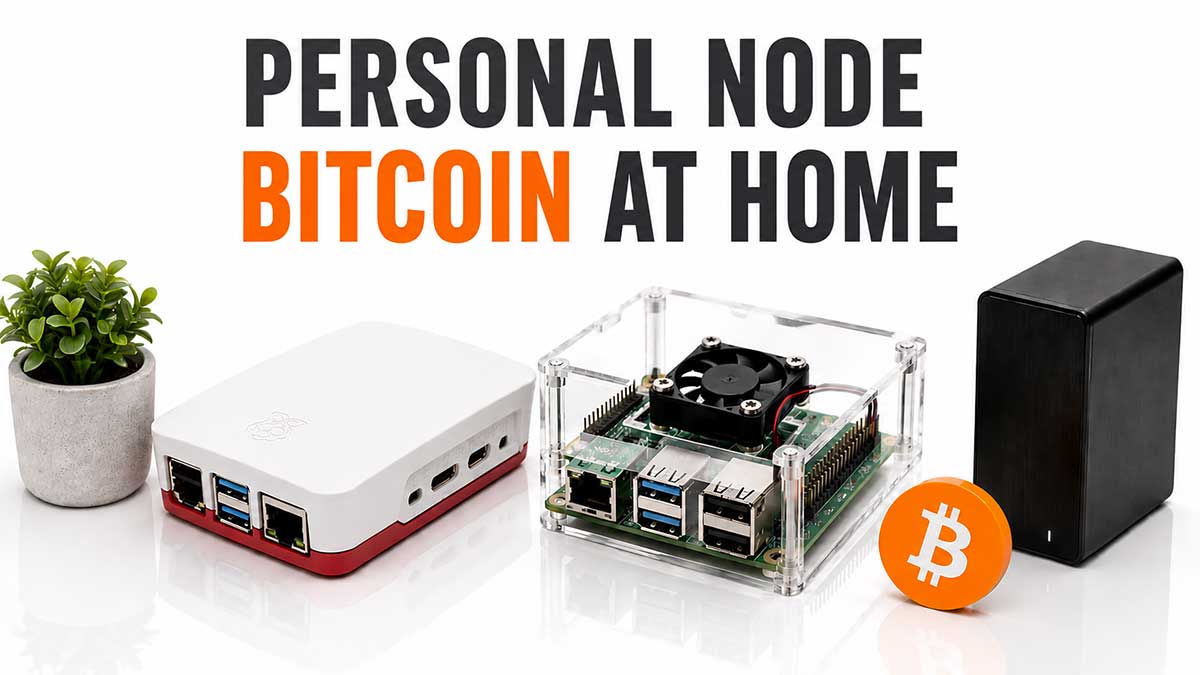
Running your own Bitcoin nodeNodeComputer that runs the Bitcoin software and takes part in the network by validating blocks and transactions. A « full node » keeps a complete copy of the blockchain.See in the lexicon → is the last step of self-custodySelf-custodyModel in which you hold your own private keys. Your bitcoins depend on no third party. This is Bitcoin's founding promise.See in the lexicon →. Without a personal node, you rely on a walletWalletSoftware or device that manages your Bitcoin keys and lets you sign transactions. A wallet does not really « hold » your bitcoins, it holds the keys that prove you own them.See in the lexicon → provider's, an explorer like mempool.spacemempool.spaceReference open-source Bitcoin explorer in 2026. Visualisation of blocks, fees and the mempool. Launched by Wiz and the mempool.space team.See in the lexicon →, or an exchangeExchangeService that lets you buy, sell and swap cryptocurrencies against fiat money. Examples : Kraken, Coinbase, Bitstamp, Bitvavo. Most are custodial.See in the lexicon →. It is rarely a security issue (cryptography still protects the funds), but it is a privacy and sovereignty issue.
A personal node lets you verifyDon't trust, verifyBitcoiner mantra. Trust no one (bank, government, exchange, influencer), verify on your own through your own node.See in the lexicon → the chain yourself, know your balance without asking a third party, broadcast your transactions without exposing your IP to a service, and act as the backend for a mobile wallet without leaking to a public server. It is also the hardware prerequisite for a self-hosted Lightning node.
This article compares the practical options in 2026 : RaspiBlitzRaspiBlitzReady-made software distribution that turns a Raspberry Pi into a Bitcoin and Lightning node. A pioneer of the genre, with an active German-speaking community.See in the lexicon → and UmbrelUmbrelEquivalent distribution for mini-PCs or Raspberry Pi, with a polished web interface and an app store (BTCPay, mempool.space, Sparrow Server, and so on).See in the lexicon → on Raspberry PiRaspberry PiSmall credit-card-sized computer at a low price (60 to 100 EUR). Lets you run a Bitcoin node at home.See in the lexicon → 5, Start9Start9 (StartOS)Umbrel alternative focused on sovereignty and privacy. More technically demanding, more rigorous on privacy.See in the lexicon → on Pure Bolt, MyNodeMyNodeAnother full-stack node distribution, with a commercial model and a paid Premium tier.See in the lexicon →, or a bare Bitcoin CoreBitcoin CoreReference implementation of the Bitcoin software, written in C++ and maintained by an open-source community. This is the software that most nodes run.See in the lexicon → install on a mini-PCMini-PC (NUC)Small fanless computer such as Intel NUC, Beelink or Minisforum. More powerful than a Raspberry Pi, ideal for a serious node running Lightning and BTCPay.See in the lexicon →. It covers storage sizing, the initial sync (12 to 48 hours), updates, and network exposure choices (Tor, Clearnet, VPN).
Why a personal node changes things
The reflex is to say "I am in self-custodySelf-custodyModel in which you hold your own private keys. Your bitcoins depend on no third party. This is Bitcoin's founding promise.See in the lexicon → with my hardware walletHardware walletSmall dedicated device (Ledger, Trezor, Coldcard, BitBox, etc.) that keeps the private key away from a potentially compromised computer. Signs transactions inside the device itself.See in the lexicon →, so I am sovereign". It is partly true: you control your private keys, no one can move your funds without you. But Bitcoin sovereignty has four distinct layers, and the hardware wallet only covers one.
- Independent validation. Without a personal nodeNodeComputer that runs the Bitcoin software and takes part in the network by validating blocks and transactions. A « full node » keeps a complete copy of the blockchain.See in the lexicon →, you take a third-party server at its word when it says "this transaction is confirmed and compliant with the rules". If a chain forkFork (soft fork, hard fork)Change to the protocol rules. A soft fork stays compatible with old nodes (SegWit, Taproot); a hard fork creates a separate chain (Bitcoin Cash in 2017).See in the lexicon → occurs (unlikely but already happened in 2017 with the Bitcoin Cash split, and technically reproducible), your walletWalletSoftware or device that manages your Bitcoin keys and lets you sign transactions. A wallet does not really « hold » your bitcoins, it holds the keys that prove you own them.See in the lexicon → could follow the wrong chain without you knowing. With your own node, you apply consensus rules yourself: block size, TaprootTaprootMajor Bitcoin upgrade activated in November 2021 (BIP 341). Brings more privacy, scripting flexibility and the efficiency of Schnorr signatures.See in the lexicon → soft forks, signature validation. By definition, you only follow the chain you deem valid.
- Privacy restored. Connecting Sparrow or Electrum to a public server reveals 100 % of your wallet to it: addresses, balances, history. A malicious or compromised operator (could be a state agency, a commercial actor like Chainalysis, or a compromised operator) correlates your on-chain activity with your identity. With your own Electrs or Fulcrum, those queries stay on your machine. Combined with Tor for transaction broadcasts, your Bitcoin activity becomes effectively private.
- Lightning sovereignty. Without a personal node, you use a custodialCustodialModel in which a third party (exchange, broker, neobank) holds your private keys for you. You have a claim, not a bitcoin. « Not your keys, not your coins ».See in the lexicon → Lightning wallet (Wallet of SatoshiSatoshi (sat)The smallest unit of bitcoin. 1 BTC = 100 million satoshis. Named after the creator. In 2026, talking in sats becomes common as the price of one BTC rises.See in the lexicon →) or a semi-custodial one with an LSPLSP (Lightning Service Provider)Third-party service that helps open Lightning channels and manage liquidity, without holding your funds. Used by mobile wallets like Phoenix.See in the lexicon → (Phoenix, Aqua). In both cases, a third-party actor controls your channels. With your own Lightning node (LND or Core Lightning), you open and close your channels as you wish, you route your own payments, you face no waiting time when your LSP operator is congested, and you can accept Bitcoin Lightning on your business via BTCPay Server without intermediary.
- Collective resilience. The Bitcoin network counts about 18,000 to 20,000 public nodes in 2026. Each additional node strengthens block propagation and robustness against a targeted attack on a subset. It is the bicycle effect: little visible individually, but collectively it is what makes Bitcoin censorship-resistant. Running a personal node, even without additional services, is a free and useful contribution to the network.
The cost of these four layers: a one-time hardware budget of 300 to 800 EUR, around 20 W of constant power draw (40 EUR per year at Swiss rates), and two to four hours per month of operational monitoring. Compare with the amounts at stake: for a Bitcoin holding of 50,000 EUR, this is on the order of a home insurance, paid once, that covers the entire holding period.
2026 turnkey distributions
Four distributions share the Bitcoin turnkey nodeNodeComputer that runs the Bitcoin software and takes part in the network by validating blocks and transactions. A « full node » keeps a complete copy of the blockchain.See in the lexicon → market in 2026, plus the option to build your node manually on Debian or Ubuntu for advanced users. All install Bitcoin CoreBitcoin CoreReference implementation of the Bitcoin software, written in C++ and maintained by an open-source community. This is the software that most nodes run.See in the lexicon →, add an orchestrator (DockerDockerTechnology that packages an application and its dependencies into an isolated container that can be started with one command on any system.See in the lexicon → in most cases), a graphical interface and a catalog of complementary apps (Electrs, BTCPay, Lightning, MempoolMempoolWaiting area where Bitcoin transactions sit before being included in a block. The fuller the mempool, the higher the fees required.See in the lexicon →, etc.).
| Distribution | Model | Cost | Best for |
|---|---|---|---|
| UmbrelUmbrelEquivalent distribution for mini-PCs or Raspberry Pi, with a polished web interface and an app store (BTCPay, mempool.space, Sparrow Server, and so on).See in the lexicon → | Open-source, visual app store, Docker on Debian | Free (Umbrel Home hardware option at 699 EUR) | Motivated beginner, most accessible interface on the market |
| Start9Start9 (StartOS)Umbrel alternative focused on sovereignty and privacy. More technically demanding, more rigorous on privacy.See in the lexicon → embassyOS | Dedicated OS, full-disk encryption, Tor by default | Free software, Embassy One at 399 USD, Server at 1,299 USD | Maximum sovereignty, privacy-first audience |
| MyNodeBTC | Turnkey image, Premium plan unlocks pro modules | Free (Community) or 99 USD lifetime (Premium) | US-centric, deep BTCPay and Lightning integrations |
| RaspiBlitzRaspiBlitzReady-made software distribution that turns a Raspberry Pi into a Bitcoin and Lightning node. A pioneer of the genre, with an active German-speaking community.See in the lexicon → | Scriptable Linux, Raspberry PiRaspberry PiSmall credit-card-sized computer at a low price (60 to 100 EUR). Lets you run a Bitcoin node at home.See in the lexicon → focus, strong German-speaking community | Free, hardware of your choice | Linux tinkerer, command-line transparency |
| Manual Bitcoin Core | Hand install on Debian/Ubuntu, systemd | Free | Advanced, full control, no GUI |
Three practical selection criteria.
- Ease of onboarding. Umbrel remains unbeaten in 2026: 30-minute install, smartphone-like app store, one-click update. Start9 comes second: a bit more rigorous on security (disk encryption, Tor by default), but slightly denser conceptually. MyNodeBTC and RaspiBlitz expose the command line more and suit users already familiar with Linux.
- Privacy philosophy. Start9 is the most radical: everything goes through Tor by default, the disk is encrypted, no telemetry. Umbrel was long criticised for questionable Docker packaging choices security-wise, and the team has heavily hardened its approach between 2023 and 2026. MyNodeBTC is decent but requires some manual tuning to reach Start9 level. Manual Bitcoin Core obviously gives absolute control.
- App ecosystem. Umbrel offers the largest catalog (Mempool, BTCPay, LND, Core LightningLND, Core Lightning (CLN), EclairThree main implementations of the Lightning protocol. LND (from Lightning Labs) is the most widely deployed.See in the lexicon →, Sphinx Chat, Nostr relays, Home Assistant). Start9 is more limited but each app goes through an audit. RaspiBlitz is Bitcoin- and Lightning-centric, with no extension elsewhere. Choice depends on whether you want just a node, or an actual Bitcoin "personal cloud".
Pragmatic 2026 recommendation: Umbrel for 80 % of users discovering self-hosting, Start9 for strict-privacy users willing to pay 400 USD for a preinstalled Embassy One, manual Bitcoin Core for sysadmins wanting to drive every detail and deploy their own stack.
Which hardware to buy in 2026
The hardware choice sets the smoothness of your nodeNodeComputer that runs the Bitcoin software and takes part in the network by validating blocks and transactions. A « full node » keeps a complete copy of the blockchain.See in the lexicon → for the next five years. Three families dominate in 2026: the Raspberry PiRaspberry PiSmall credit-card-sized computer at a low price (60 to 100 EUR). Lets you run a Bitcoin node at home.See in the lexicon →, the x86 mini-PCMini-PC (NUC)Small fanless computer such as Intel NUC, Beelink or Minisforum. More powerful than a Raspberry Pi, ideal for a serious node running Lightning and BTCPay.See in the lexicon →, and the dedicated server. The SSD is non-negotiable: a mechanical HDD takes weeks for the initial block download and chokes every query. Minimum RAM is 8 GB for Bitcoin CoreBitcoin CoreReference implementation of the Bitcoin software, written in C++ and maintained by an open-source community. This is the software that most nodes run.See in the lexicon → alone, 16 GB to add Electrs/Fulcrum and a Lightning node without suffering.
| Profile | Typical hardware | RAM / Storage | Total budget | IBD duration |
|---|---|---|---|---|
| Budget | Raspberry Pi 5 + case + 2 TB SSD | 8 GB / 2 TB NVMe | ~280 EUR | 48 to 72 h |
| Comfort | Beelink mini-PC or refurbished Intel NUC | 16 GB / 2 TB NVMe | 450 to 700 EUR | 12 to 24 h |
| Power-user | New 32 GB mini-PC or Proxmox server | 32 GB / 4 TB NVMe + ZFS mirror | 900 to 1,500 EUR | 4 to 12 h |
| Pre-assembled | UmbrelUmbrelEquivalent distribution for mini-PCs or Raspberry Pi, with a polished web interface and an app store (BTCPay, mempool.space, Sparrow Server, and so on).See in the lexicon → Home / Embassy One / Start9Start9 (StartOS)Umbrel alternative focused on sovereignty and privacy. More technically demanding, more rigorous on privacy.See in the lexicon → Server | 16 to 32 GB depending on model | 400 to 1,300 USD | 12 to 36 h |
Four practical points to know before buying.
- SSD mandatory, NVMe preferred. A SATA SSD works but an M.2 NVMe halves the IBD time and drastically improves Electrs/Fulcrum queries. Count 80 to 150 EUR for 2 TB NVMe in 2026 (Samsung 980, Crucial P3, Western Digital SN770). HDD forbidden: 600 GB of random-read blockchainBlockchainA public, shared ledger that records every Bitcoin transaction in blocks linked together cryptographically. Each participant in the network keeps a copy.See in the lexicon → takes forever.
- Expected chain growth. The Bitcoin blockchain grows by 50 to 70 GB per year. Starting with a 1 TB SSD in 2026 forces you to upgrade by 2030. Buying 2 TB minimum gives 10 to 15 years of comfortable margin. For Lightning + other services, aim for 4 TB if budget allows.
- Internet connection. No exotic prerequisite, but 50 Mb/s symmetric minimum is comfortable, ideally 100 Mb/s+ fiber. Count 15 to 50 GB per month of outbound bandwidth if the node actively relays to other peers. Most European ISP boxes absorb that without trouble.
- UPS or not. A Bitcoin node survives power cuts: Bitcoin Core writes carefully and rebuilds its index on restart. However, Lightning and BTCPay can corrupt their database on a brutal cut. A small 600 VA UPS at 80 EUR avoids those troubles and extends the SSD life.
Recurring question: buy a pre-assembled box or build your own? Pre-assembled for simplicity, DIY build for cost and transparency. A Raspberry Pi 5 + accessories + self-installed Umbrel runs for 280 EUR and demystifies the full chain end-to-end. A 700 EUR Umbrel Home saves you two hours of setup. Each user arbitrates.
Step-by-step install and initial block download
The typical install of an UmbrelUmbrelEquivalent distribution for mini-PCs or Raspberry Pi, with a polished web interface and an app store (BTCPay, mempool.space, Sparrow Server, and so on).See in the lexicon → nodeNodeComputer that runs the Bitcoin software and takes part in the network by validating blocks and transactions. A « full node » keeps a complete copy of the blockchain.See in the lexicon → on Raspberry PiRaspberry PiSmall credit-card-sized computer at a low price (60 to 100 EUR). Lets you run a Bitcoin node at home.See in the lexicon → 5 runs in six steps, applicable with a few variants to other distributions.
- Download the official image. From the official site of the distribution (umbrel.com, start9Start9 (StartOS)Umbrel alternative focused on sovereignty and privacy. More technically demanding, more rigorous on privacy.See in the lexicon →.com, mynodebtc.com, raspiblitzRaspiBlitzReady-made software distribution that turns a Raspberry Pi into a Bitcoin and Lightning node. A pioneer of the genre, with an active German-speaking community.See in the lexicon →.com). Always via HTTPS, never via an unverified third-party mirror. A compromised version regularly circulates on forums and Telegram: never download from a shared link.
- PGP signature verification. A step often skipped but critical. Each distribution publishes a detached signature (`.asc`) and the public keyPublic keyNumber derived mathematically from the private key, used to build a Bitcoin address. Can be shared freely.See in the lexicon → of its team. VerifyDon't trust, verifyBitcoiner mantra. Trust no one (bank, government, exchange, influencer), verify on your own through your own node.See in the lexicon → the signature with gpg: `gpg --verify umbrelos-pi5.img.asc umbrelos-pi5.img`. The result must display "Good signature from" with a recognised key. If error, do not install.
- Flash to SSD. With Balena Etcher or Raspberry Pi Imager. The SSD must be connected via USB 3 or direct NVMe for compatible models. Flashing takes 10 to 20 minutes depending on image size (typically 2 to 4 GB for an Umbrel image).
- First boot and network configuration. The Pi 5 starts, gets an IP via DHCP, and exposes a web interface (typically http://umbrel.local). Admin account creation, strong password (16-character minimum, managed by a password manager), time-zone configuration. Static IP assignment on router side, ideally.
- Initial block download. Bitcoin CoreBitcoin CoreReference implementation of the Bitcoin software, written in C++ and maintained by an open-source community. This is the software that most nodes run.See in the lexicon → downloads the entire chain from its peers, verifies every block, and writes data to the SSD. Current 2026 volume: 620 to 680 GB. Duration: 12 to 24 h on a mini-PCMini-PC (NUC)Small fanless computer such as Intel NUC, Beelink or Minisforum. More powerful than a Raspberry Pi, ideal for a serious node running Lightning and BTCPay.See in the lexicon → with NVMe and good bandwidth, 48 to 72 h on Raspberry Pi 5. During IBD, do not cut power: Bitcoin Core resumes after a reboot, but a rare corruption can force a full restart.
- Service activation. Once IBD complete ("100 % synced" status), install complementary apps from the app store: Electrs or Fulcrum (mandatory to plug Sparrow or Specter), MempoolMempoolWaiting area where Bitcoin transactions sit before being included in a block. The fuller the mempool, the higher the fees required.See in the lexicon → (local explorer), LND or Core Lightning (Lightning node), BTCPay (e-commerce payments), RTL or ThunderHub (Lightning GUI). Each app takes 2 to 30 minutes depending on its indexing.
Three optimisations to speed up IBD without cryptographic cheating.
- High dbcache. Parameter `dbcache=8192` in bitcoin.conf (in MB) if you have 16 GB RAM: Bitcoin Core keeps more UTXOs in memory, hence fewer SSD reads. Typical gain 30 to 40 % on IBD duration.
- Up-to-date assumevalid. Bitcoin Core skips signature verification for blocks earlier than a known point (assumevalid hashHashFunction that turns data of any size into a fixed-size fingerprint. The same input always yields the same output, but you cannot go back from output to input.See in the lexicon → coded in the release). Enabled by default since version 0.13, huge gain. Can be turned off for purists via `assumevalid=0`, at the cost of a several-times longer IBD.
- Sync from a LAN node. If you already have another Bitcoin node at home or at a close friend's, forcing it as a peer via `connect=
` speeds up the initial download to full LAN speed (gigabit), followed by crypto verification which remains local.
Once synced, Bitcoin Core uses ~3 GB of RAM at steady state and ~20 GB per month of bandwidth in standard mode (relay enabled). The SSD takes 30 to 80 GB of writes per month depending on mempool activity. Any decent NVMe SSD supports that load for more than a decade.
The service ecosystem around the node
Bare Bitcoin CoreBitcoin CoreReference implementation of the Bitcoin software, written in C++ and maintained by an open-source community. This is the software that most nodes run.See in the lexicon → mainly validates and relays. The real value of a personal nodeNodeComputer that runs the Bitcoin software and takes part in the network by validating blocks and transactions. A « full node » keeps a complete copy of the blockchain.See in the lexicon → comes from the services stacking on top. Four application families structure the 2026 stack.
- Index server (Electrs or Fulcrum). Brick number one. Electrs (Rust, RAM-frugal) or Fulcrum (C++, faster indexing) build an index of transactions per address, letting Sparrow WalletWalletSoftware or device that manages your Bitcoin keys and lets you sign transactions. A wallet does not really « hold » your bitcoins, it holds the keys that prove you own them.See in the lexicon →, Specter, Electrum desktop or BlueWallet connect to your personal node instead of a public server. Configure the desktop wallet to point at `tcp://your-node.local:50001` or its Tor hidden service. Immediate effect: your wallet reveals nothing to anyone. Initial indexing 4 to 12 h after IBD.
- Lightning NetworkLightning NetworkSecond-layer payment network on top of Bitcoin. Enables near-instant and near-free payments through channels opened between users.See in the lexicon → (LND or Core Lightning). LND (Go, mature ecosystem, Lightning Labs) dominates the consumer market, Core Lightning (CLN, C, Blockstream project) is more modular and preferred by advanced users. Both open and manage your channels. Ride The Lightning (RTL) or ThunderHub provide the GUI, balance-of-satoshis automates rebalancingRebalancingRebalancing your portfolio by selling part of what has risen and buying what has fallen, to return to a target allocation.See in the lexicon →. Channel backup via automatic Static Channel Backup (SCBSCB (Static Channel Backup)Static backup of Lightning channels (LND). If the node crashes, it allows requesting the cooperative closing of channels and recovering the funds.See in the lexicon →) on encrypted cloud or USB key. Expect 100 to 500 EUR of locked funds in channels for active personal use.
- Payment acceptance (BTCPay Server). Open-source Bitcoin and Lightning acceptance platform, sovereign equivalent of Strike or OpenNode. One-click native install on UmbrelUmbrelEquivalent distribution for mini-PCs or Raspberry Pi, with a polished web interface and an app store (BTCPay, mempool.space, Sparrow Server, and so on).See in the lexicon →/Start9Start9 (StartOS)Umbrel alternative focused on sovereignty and privacy. More technically demanding, more rigorous on privacy.See in the lexicon →. Generates invoices, provides webhooks, handles VAT and history. Integrations with Shopify, WooCommerce, Magento, Drupal, Joomla, AlphaPos. For a merchant, it is the tool that single-handedly justifies the personal node effort: zero operator fees, zero KYCKYC (Know Your Customer)Mandatory identification procedure that regulated platforms apply to their users : ID document, proof of address, and so on.See in the lexicon → on received payments, full control.
- Observation tools (MempoolMempoolWaiting area where Bitcoin transactions sit before being included in a block. The fuller the mempool, the higher the fees required.See in the lexicon →, BTC RPCRPC (Remote Procedure Call)Standard protocol for calling functions on a remote program. Bitcoin Core exposes more than 200 RPC commands.See in the lexicon → Explorer). Self-hosted Mempool.spacemempool.spaceReference open-source Bitcoin explorer in 2026. Visualisation of blocks, fees and the mempool. Launched by Wiz and the mempool.space team.See in the lexicon → reproduces the mempool.space GUI on your own data, telling mempool.space.com nothing. Very useful to evaluate transaction feesTransaction feesAmount paid to miners so they include your transaction in a block. Expressed in satoshis per virtual byte (sat/vB). Varies with network congestion.See in the lexicon →, track confirmations live, and inspect coinjoins/PSBTs. BTC RPC Explorer is a lighter alternative with no external database.
Three typical stacks depending on profile.
- Basic sovereignty stack. Bitcoin Core + Electrs + Mempool + Sparrow connected over LAN. Covers 90 % of the self-custodySelf-custodyModel in which you hold your own private keys. Your bitcoins depend on no third party. This is Bitcoin's founding promise.See in the lexicon → Bitcoin holder's need. Time cost: 4 h setup, 1 h/month monitoring.
- Lightning user stack. Basic stack + LND + RTL + balance-of-satoshis. Allows sending and receiving Lightning without an LSPLSP (Lightning Service Provider)Third-party service that helps open Lightning channels and manage liquidity, without holding your funds. Used by mobile wallets like Phoenix.See in the lexicon →, routing your own payments, and testing custodialCustodialModel in which a third party (exchange, broker, neobank) holds your private keys for you. You have a claim, not a bitcoin. « Not your keys, not your coins ».See in the lexicon →-free payments. Time cost: 8 h setup, 2 to 3 h/month managing channels.
- BTCPay merchant stack. Lightning stack + BTCPay Server + CMS integration (Shopify or WooCommerce). Allows accepting Bitcoin and Lightning on your online shop without intermediary. Time cost: 12 to 20 h setup with CMS integration, 3 to 5 h/month.
One last brick to know: Nostr. If you run Umbrel or Start9, adding a personal Nostr relay (strfry, nostr-relay) extends communications sovereignty alongside Bitcoin. Your encrypted messages and posts transit through your server, not a centralised Twitter. Negligible cost (50 MB storage) for personal use.
Tor, security and operational maintenance
A misconfigured Bitcoin nodeNodeComputer that runs the Bitcoin software and takes part in the network by validating blocks and transactions. A « full node » keeps a complete copy of the blockchain.See in the lexicon → can do worse than no node: leak the household's public IP, leak the walletWalletSoftware or device that manages your Bitcoin keys and lets you sign transactions. A wallet does not really « hold » your bitcoins, it holds the keys that prove you own them.See in the lexicon → via telemetry, or propagate a corrupt chain through misconfig. Five configuration decisions shape the risk.
- Tor mandatory, hidden service preferred. Tor masks your node's IP from other Bitcoin peers and prevents a network observer (ISP, government) from correlating your transaction broadcasts with your identity. On UmbrelUmbrelEquivalent distribution for mini-PCs or Raspberry Pi, with a polished web interface and an app store (BTCPay, mempool.space, Sparrow Server, and so on).See in the lexicon →/Start9Start9 (StartOS)Umbrel alternative focused on sovereignty and privacy. More technically demanding, more rigorous on privacy.See in the lexicon →, Tor is enabled by default. To go further, expose a .onion hidden service for your remote wallets: Sparrow or BlueWallet connect to `xyz.onion` instead of your local IP. Drawback: 200 to 500 ms extra latency on queries. Acceptable for reads, negligible for broadcast.
- Open port 8333 or not. Port 8333 receives Bitcoin incoming connections. Opened, your node becomes "public": it helps propagate blocks to new peers, strengthening the network. Closed, your node remains functional but serves only your needs. The rule is clear: if you have bandwidth (50 GB/month extra outbound) and your router supports UPnP or manual port forwarding, open it. Otherwise, leave it closed guilt-free.
- Firewall and remote access. On local LAN, the web interface (port 80 Umbrel, 443 Start9) is enough. For external access, two clean options: a WireGuard VPN hosted on the node itself (Umbrel has a Tailscale or native WireGuard app, Start9 has its own), or exposure only via Tor hidden service. Never open the web port directly on the internet: exposing a self-hosted dashboard with no VPN nor Tor is like leaving a keychain on the doormat.
- Regular updates. Bitcoin CoreBitcoin CoreReference implementation of the Bitcoin software, written in C++ and maintained by an open-source community. This is the software that most nodes run.See in the lexicon → releases 2 to 4 minor versions per year, companion services (LND, BTCPay) more frequently. On Umbrel/Start9, one-click update from the interface, to be done within the week following the announcement. For manual Bitcoin Core setups, recompile or install the PGP-verified binary, restart the service, check the logs. Skipping three consecutive versions exposes you to bugs long since fixed.
- Disk space and SSD health monitoring. With 50 to 70 GB/year chain growth, a 1 TB SSD nears its end in 5 years. Monthly monitor occupation percentage (command `df -h`) and SMART health of the SSD (command `smartctl -a /dev/nvme0n1` or via Umbrel dashboard). Replace the SSD above 80 % occupation or if SMART flags errors: data migration takes a day but avoids corruption during a crash.
Three maintenance routines to put on the yearly calendar.
- Monthly quick audit (30 min). Check that Bitcoin Core is synced (block height vs mempool.spacemempool.spaceReference open-source Bitcoin explorer in 2026. Visualisation of blocks, fees and the mempool. Launched by Wiz and the mempool.space team.See in the lexicon →), that Electrs and companion services are running, that disk space stays under 80 %, that no critical error appears in recent logs. Confirm Lightning backups (SCBSCB (Static Channel Backup)Static backup of Lightning channels (LND). If the node crashes, it allows requesting the cooperative closing of channels and recovering the funds.See in the lexicon →) are up to date.
- Quarterly update (1 h). Apply all Bitcoin Core, services and OS updates. On Umbrel, an "Update all" button. On Start9 or manual setups, package by package with changelog review. Restart the full node on that occasion to clear RAM.
- Yearly full review (3 h). Test the Lightning backup restore procedure (mock-restore on testnet or regtest), check Tor certificates, take stock of underused Lightning channels (closure or rebalancingRebalancingRebalancing your portfolio by selling part of what has risen and buying what has fallen, to return to a target allocation.See in the lexicon →). Decide whether the hardware holds for another two years or whether a replacement should be planned.
A well-maintained node easily runs 5 to 8 years on the same hardware. Beyond, the SSD shows signs of fatigue and the hardware may struggle to keep up with new services. But Bitcoin Core itself stays frugal, and even a 2020 Raspberry PiRaspberry PiSmall credit-card-sized computer at a low price (60 to 100 EUR). Lets you run a Bitcoin node at home.See in the lexicon → 4 still validates blocks properly in 2026, a testament to the software's robustness.
Disclaimer
Educational and informational content only: not investment, tax or legal advice. Bitcoin carries significant risks, including high volatility and the possible loss of invested capital. Each reader remains responsible for their decisions; when in doubt, consult a qualified professional in your jurisdiction.
Going further
The personal nodeNodeComputer that runs the Bitcoin software and takes part in the network by validating blocks and transactions. A « full node » keeps a complete copy of the blockchain.See in the lexicon → only fully justifies itself when wired into the rest of your Bitcoin setup. To go deeper on each brick:
- Lightning wallets: to understand which wallets connect to your local LND/CLN and to switch from custodialCustodialModel in which a third party (exchange, broker, neobank) holds your private keys for you. You have a claim, not a bitcoin. « Not your keys, not your coins ».See in the lexicon → to sovereign.
- Hardware wallet: transaction signing stays on the dedicated device, the node only broadcasts and validates them.
- Bitcoin multisig: Sparrow or Specter pointed at your local Electrs let you coordinate a 2-of-3 walletWalletSoftware or device that manages your Bitcoin keys and lets you sign transactions. A wallet does not really « hold » your bitcoins, it holds the keys that prove you own them.See in the lexicon → without leaking anything to public servers.
- Bitcoin security: complete OPSECOPSEC (operational security)Discipline of not exposing exploitable information: not revealing holdings, separating identities and addresses, limiting metadata. A bitcoin holder's first line of defence.See in the lexicon → around the node, device separation, annual audit to couple with maintenance.
To place the personal node back in the topic:
- Store Bitcoin guide: the custodyCustodyThe custody of funds. See self-custody and custodial in the dedicated section below.See in the lexicon → overview, from hardware walletHardware walletSmall dedicated device (Ledger, Trezor, Coldcard, BitBox, etc.) that keeps the private key away from a potentially compromised computer. Signs transactions inside the device itself.See in the lexicon → to standalone node.
- Bitcoin transmission and inheritance: embed the node in the succession kit so the heir can keep running it or decide to shut it down.