
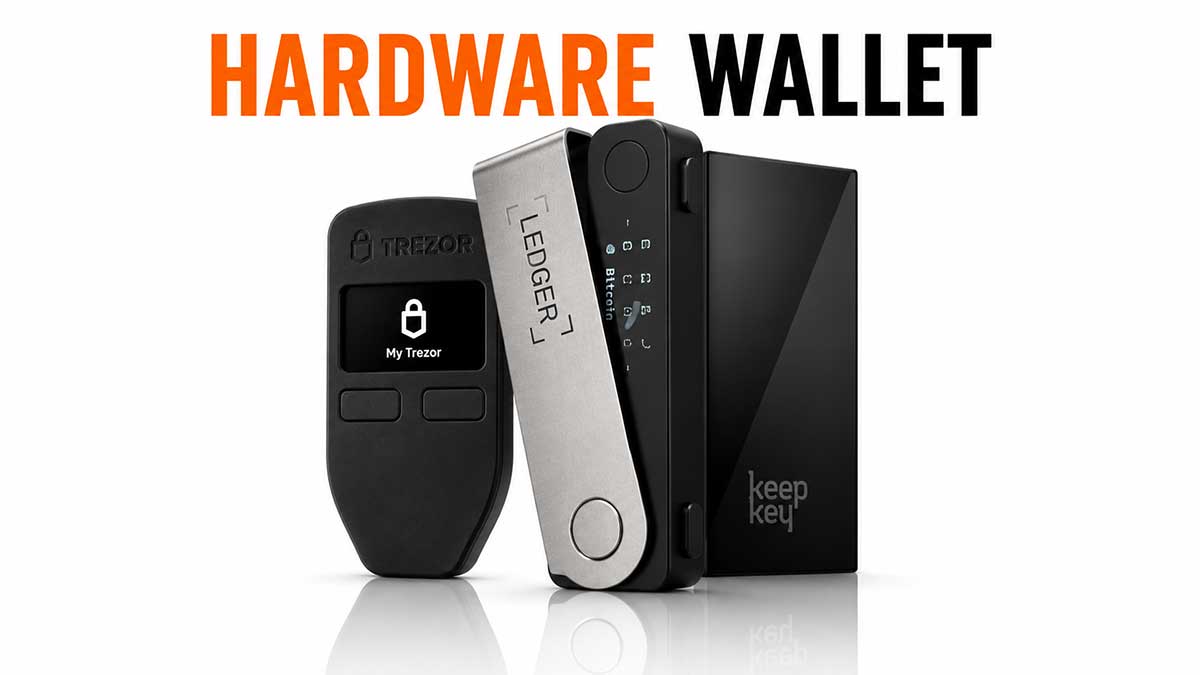
A hardware walletHardware walletSmall dedicated device (Ledger, Trezor, Coldcard, BitBox, etc.) that keeps the private key away from a potentially compromised computer. Signs transactions inside the device itself.See in the lexicon → is a small dedicated device, designed to host the private keyPrivate keySecret number that proves ownership of bitcoins at a given address. Whoever holds the private key holds the bitcoins. Never share it and never store it in plain text.See in the lexicon → of a Bitcoin walletWalletSoftware or device that manages your Bitcoin keys and lets you sign transactions. A wallet does not really « hold » your bitcoins, it holds the keys that prove you own them.See in the lexicon → inside an isolated hardware component: the secure element. As long as this element is not physically compromised, the key never leaves the device, even if the PC or phone it connects to is infested with malware. This property is what makes the hardware wallet the reference tool to store bitcoins seriously from 1,000 EUR held onwards.
This article compares the six major brands on the market in 2026, explains what really happens inside the device, describes how to buy without ending up with a counterfeit, and walks through the initial setup step by step. It speaks both to those still hesitating between LedgerLedger, Trezor, Coldcard, BitBoxMain hardware wallet brands. Ledger Nano S Plus / X (French, the best-seller), Trezor Model T (Czech, open source), Coldcard Mk4 (Canadian, ultra-secure, Bitcoin-only), BitBox02 (Swiss, open source).See in the lexicon → and TrezorLedger, Trezor, Coldcard, BitBoxMain hardware wallet brands. Ledger Nano S Plus / X (French, the best-seller), Trezor Model T (Czech, open source), Coldcard Mk4 (Canadian, ultra-secure, Bitcoin-only), BitBox02 (Swiss, open source).See in the lexicon → and to those planning to secure a six-figure amount with an air-gappedAir-gappedDevice fully disconnected from the Internet (not even USB). Top security level for signing a multisig transaction in a cold wallet.See in the lexicon → ColdcardLedger, Trezor, Coldcard, BitBoxMain hardware wallet brands. Ledger Nano S Plus / X (French, the best-seller), Trezor Model T (Czech, open source), Coldcard Mk4 (Canadian, ultra-secure, Bitcoin-only), BitBox02 (Swiss, open source).See in the lexicon →.
The principle: hardware key isolation
On a software walletWalletSoftware or device that manages your Bitcoin keys and lets you sign transactions. A wallet does not really « hold » your bitcoins, it holds the keys that prove you own them.See in the lexicon → (Sparrow, Electrum, Phoenix), the private keyPrivate keySecret number that proves ownership of bitcoins at a given address. Whoever holds the private key holds the bitcoins. Never share it and never store it in plain text.See in the lexicon → lives in the memory of the computer or phone. If the device is compromised by malware, the key can be read, copied, exfiltrated. On a hardware walletHardware walletSmall dedicated device (Ledger, Trezor, Coldcard, BitBox, etc.) that keeps the private key away from a potentially compromised computer. Signs transactions inside the device itself.See in the lexicon →, the key lives inside a separate component that no host software can query directly. This hardware separation is the whole service.
The flow of a transaction signed by a hardware wallet looks like this:
- The desktop wallet (LedgerLedger, Trezor, Coldcard, BitBoxMain hardware wallet brands. Ledger Nano S Plus / X (French, the best-seller), Trezor Model T (Czech, open source), Coldcard Mk4 (Canadian, ultra-secure, Bitcoin-only), BitBox02 (Swiss, open source).See in the lexicon → Live, TrezorLedger, Trezor, Coldcard, BitBoxMain hardware wallet brands. Ledger Nano S Plus / X (French, the best-seller), Trezor Model T (Czech, open source), Coldcard Mk4 (Canadian, ultra-secure, Bitcoin-only), BitBox02 (Swiss, open source).See in the lexicon → Suite, Sparrow, BitBoxApp) prepares an unsigned transaction and sends it to the hardware.
- The hardware receives the transaction and displays the exact destination and amount on its own screen.
- The user verifies these details on the device screen (not on the PC screen, which can be tampered with), then confirms with a physical button.
- The secure element signs the transaction internally with the private key, which is never transmitted out.
- The hardware returns only the signed transaction to the desktop, which broadcasts it to the Bitcoin network.
Three practical conclusions:
- The device screen is crucial. Without a proper screen, you sign "blindly" whatever the PC shows you. All serious hardware wallets have one; be wary of cheap clones that don't.
- The physical button is crucial. A signature always requires a manual action. No malware can sign for you as long as no one presses the button.
- The PC or phone remains your potential adversary. The hardware wallet does not secure it; it treats it as hostile and limits what it can do to broadcasting signed transactions.
This architecture is mature: every model mentioned below relies on the same principle, with variations on secure element certification, open-source level, and user interface.
Technical anatomy: what's inside the device
All hardware wallets share the same building blocks, with different trade-offs between brands.
The secure element (SE). A chip dedicated to protecting cryptographic secrets, designed to resist physical attacks (power analysis, fault injection, clock glitches) and software attacks. The certification level is measurable: EAL5+ and EAL6+ are the common standards in 2026, EAL7 remains exceptional. LedgerLedger, Trezor, Coldcard, BitBoxMain hardware wallet brands. Ledger Nano S Plus / X (French, the best-seller), Trezor Model T (Czech, open source), Coldcard Mk4 (Canadian, ultra-secure, Bitcoin-only), BitBox02 (Swiss, open source).See in the lexicon → and BitBoxLedger, Trezor, Coldcard, BitBoxMain hardware wallet brands. Ledger Nano S Plus / X (French, the best-seller), Trezor Model T (Czech, open source), Coldcard Mk4 (Canadian, ultra-secure, Bitcoin-only), BitBox02 (Swiss, open source).See in the lexicon → use certified proprietary SEs (often ST33 or ATECC), ColdcardLedger, Trezor, Coldcard, BitBoxMain hardware wallet brands. Ledger Nano S Plus / X (French, the best-seller), Trezor Model T (Czech, open source), Coldcard Mk4 (Canadian, ultra-secure, Bitcoin-only), BitBox02 (Swiss, open source).See in the lexicon → and TrezorLedger, Trezor, Coldcard, BitBoxMain hardware wallet brands. Ledger Nano S Plus / X (French, the best-seller), Trezor Model T (Czech, open source), Coldcard Mk4 (Canadian, ultra-secure, Bitcoin-only), BitBox02 (Swiss, open source).See in the lexicon → Safe 5 use an open-source SE (Microchip ATECC608B). Trezor Safe 3 / Safe 5 added an SE in 2023, the historical Trezor One had none.
The main microcontroller (MCU). The "brain" that orchestrates the screen, buttons, USB, and communication with the secure element. The firmware runs on it. The MCU can be compromised (the SE cannot), so modern architecture confines sensitive operations to the SE and uses the MCU only for the interface.
The screen. Critical for transaction verification. Small monochrome OLED on Ledger Nano S+ and Trezor Safe 3, e-ink on Coldcard Q, touchscreen on Trezor Safe 5 and Ledger Stax. The larger and more readable the screen, the more reliable the verification, but the higher the cost and power draw.
The firmware. The embedded software. Three models exist:
- Fully open sourceOpen sourceSoftware whose source code is public and modifiable by anyone. A fundamental auditability guarantee in Bitcoin.See in the lexicon → (Trezor, Coldcard, BitBox, Jade): code viewable, auditable, compilable by anyone, modifiable for community variants.
- Partially open source (Ledger): the Bitcoin and Ethereum apps are open source, but the low-level firmware and the BOLOS OS are proprietary for SE certification reasons. Recurring controversy in the community.
- Managed open source (BitKey): public code but Block service is a 2-of-3 cosigner; you are not in full self-custodySelf-custodyModel in which you hold your own private keys. Your bitcoins depend on no third party. This is Bitcoin's founding promise.See in the lexicon → by default.
Connectivity. USB-C has become standard. Optional Bluetooth (Ledger Stax / Nano X, BitBox02 BTC-only in USB only). Native air-gap (Coldcard, Jade in QR or SD mode) for the paranoid: no physical connection with the PC, transit through SD card or QR codes. Slower, safer for large amounts.
The six reference brands in 2026
LedgerLedger, Trezor, Coldcard, BitBoxMain hardware wallet brands. Ledger Nano S Plus / X (French, the best-seller), Trezor Model T (Czech, open source), Coldcard Mk4 (Canadian, ultra-secure, Bitcoin-only), BitBox02 (Swiss, open source).See in the lexicon → (France, founded in 2014). World leader with several million devices sold. Range: Nano S+ (entry-level, OLED screen), Nano X (Bluetooth, battery), Stax (large e-ink touch screen, premium) and Flex (intermediate variant). Proprietary ST33 secure element certified CC EAL5+. The Ledger Live app covers Bitcoin, Lightning and many altcoins. 2023 controversy around the optional Ledger Recover service (cloud seed recovery with consent, disabled by default, source of outrage in the self-custodySelf-custodyModel in which you hold your own private keys. Your bitcoins depend on no third party. This is Bitcoin's founding promise.See in the lexicon → community); since then, stronger communication, unchanged stance. Default pick for 80 % of the consumer market.
TrezorLedger, Trezor, Coldcard, BitBoxMain hardware wallet brands. Ledger Nano S Plus / X (French, the best-seller), Trezor Model T (Czech, open source), Coldcard Mk4 (Canadian, ultra-secure, Bitcoin-only), BitBox02 (Swiss, open source).See in the lexicon → (Czech Republic, SatoshiLabs, founded in 2013). The other heavyweight, with a "pure open-source" stance. Range: Safe 3 (entry-level with SE since 2023) and Safe 5 (colour touchscreen). Trezor Suite, the desktop app, is regarded as one of the best on the market. Native Shamir Backup SLIP39 support (which Ledger does not have). Very high technical credibility in the community.
ColdcardLedger, Trezor, Coldcard, BitBoxMain hardware wallet brands. Ledger Nano S Plus / X (French, the best-seller), Trezor Model T (Czech, open source), Coldcard Mk4 (Canadian, ultra-secure, Bitcoin-only), BitBox02 (Swiss, open source).See in the lexicon → (Coinkite, Canada). The reference for Bitcoin-only purists. The Coldcard Mk4 (USB, e-ink) and the Coldcard Q (full keyboard, colour screen) are designed for native air-gap via SD card and QR codes. No altcoins, no compromise. Rich technical documentation, integrated Sparrow / Specter ecosystem for advanced multisigMultisig (multi-signature)Configuration where a transaction must be signed by several independent keys to be valid (for example 2 of 3). Reduces the risk that a single key theft causes loss of funds.See in the lexicon →. The preferred hardware of demanding bitcoiners from 50,000 EUR held onwards.
BitBox02 (Shift Crypto, Switzerland). Compact, sleek, USB-C. Two variants: Bitcoin-only and multi (Bitcoin + a handful of altcoins). Backup via built-in micro-SD on top of the paper seed, which simplifies restore on a replacement device. Excellent BitBoxApp desktop. Sweet spot for a Swiss, German or Italian user who wants a local and high-quality product around 150 EUR.
BitKey (Block, USA, launched in 2024). Radically different approach: a physical device with fingerprint reader, paired with a mobile app and a Block cloud service, in 2-of-3 multisig. You keep two keys, Block holds one (used only with your biometric approval). Excellent for mainstream consumers but unfit for radical self-custody profiles. Price: around 150 EUR.
Blockstream Jade (United Kingdom, Blockstream). Low-cost (around 65 EUR), open sourceOpen sourceSoftware whose source code is public and modifiable by anyone. A fundamental auditability guarantee in Bitcoin.See in the lexicon →, anti-exfiltration. No secure element in the classic sense, but a multi-chip architecture with anti-cloning. Designed for mobile (Bluetooth) and to work with a Blockstream Green nodeNodeComputer that runs the Bitcoin software and takes part in the network by validating blocks and transactions. A « full node » keeps a complete copy of the blockchain.See in the lexicon → or a personal node. Good pick for technical users on a tight budget.
Buying without ending up with a counterfeit
Buying a used hardware walletHardware walletSmall dedicated device (Ledger, Trezor, Coldcard, BitBox, etc.) that keeps the private key away from a potentially compromised computer. Signs transactions inside the device itself.See in the lexicon →, or via an unverified third-party reseller, is one of the most expensive mistakes possible. A seed pre-generated by an attacker, supplied in a neatly resealed box, empties the walletWalletSoftware or device that manages your Bitcoin keys and lets you sign transactions. A wallet does not really « hold » your bitcoins, it holds the keys that prove you own them.See in the lexicon → on the first deposit. Several cases documented since 2019.
The rule is simple, with no exception:
- Buy strictly from the manufacturer. LedgerLedger, Trezor, Coldcard, BitBoxMain hardware wallet brands. Ledger Nano S Plus / X (French, the best-seller), Trezor Model T (Czech, open source), Coldcard Mk4 (Canadian, ultra-secure, Bitcoin-only), BitBox02 (Swiss, open source).See in the lexicon →.com, TrezorLedger, Trezor, Coldcard, BitBoxMain hardware wallet brands. Ledger Nano S Plus / X (French, the best-seller), Trezor Model T (Czech, open source), Coldcard Mk4 (Canadian, ultra-secure, Bitcoin-only), BitBox02 (Swiss, open source).See in the lexicon →.io, ColdcardLedger, Trezor, Coldcard, BitBoxMain hardware wallet brands. Ledger Nano S Plus / X (French, the best-seller), Trezor Model T (Czech, open source), Coldcard Mk4 (Canadian, ultra-secure, Bitcoin-only), BitBox02 (Swiss, open source).See in the lexicon →.com (via Coinkite), Shiftcrypto.ch, BitKey.world, Blockstream.com / store. Pay by bank transfer, card or Bitcoin, with delivery to your home address or a secure pickup point.
- Or from an official reseller listed on the manufacturer site. Each brand publishes its up-to-date list. Known examples: The Coin Store, Bitcoin Suisse (for BitBoxLedger, Trezor, Coldcard, BitBoxMain hardware wallet brands. Ledger Nano S Plus / X (French, the best-seller), Trezor Model T (Czech, open source), Coldcard Mk4 (Canadian, ultra-secure, Bitcoin-only), BitBox02 (Swiss, open source).See in the lexicon →), Coinkite Store, etc. Always verifyDon't trust, verifyBitcoiner mantra. Trust no one (bank, government, exchange, influencer), verify on your own through your own node.See in the lexicon → the reseller is still on the list at the time of purchase.
- NEVER on Amazon, eBay, Vinted, Backmarket, Aliexpress or a non-listed third-party marketplace. Even if the seller shows "factory sealed", you have no guarantee on the supply chain. Saving 10 or 20 EUR in no way covers the risk.
- NEVER second-hand between individuals. Even from a trusted relative: the seed already entered into the device is unknown to you.
On receiving the parcel, several checks before starting setup:
- Intact original seal: Ledger uses a tamper-evident sticker, Trezor a holographic sticker, Coldcard a sealed metallic envelope, BitBox a welded antistatic pouch. Any sign of opening, peeling, resealing or seal defect requires immediate return to the manufacturer.
- Serial number displayed on the device matches the one printed on the box or invoice.
- No "seed already printed" card supplied in the box. The seed must be generated at setup, not read from a prefabricated card.
- Download companion software only from the official site, verifying the cryptographic fingerprint (GPG signature) published by the manufacturer. PhishingPhishingAttack where someone impersonates a legitimate service via email, SMS or clone website, in order to extract your credentials or your seed phrase.See in the lexicon → sites mimicking Ledger Live and Trezor Suite are numerous and well-crafted.
Initial setup, step by step
The first setup is the moment when the walletWalletSoftware or device that manages your Bitcoin keys and lets you sign transactions. A wallet does not really « hold » your bitcoins, it holds the keys that prove you own them.See in the lexicon → exists for the first time. Once this session is over, bitcoins can arrive on it. Five universal steps, valid for all brands with minor interface variations.
- Firmware update. Before anything else, plug the device in, open the manufacturer app and install the latest official firmware version. VerifyDon't trust, verifyBitcoiner mantra. Trust no one (bank, government, exchange, influencer), verify on your own through your own node.See in the lexicon → the version number displayed on the device screen matches the one announced on the manufacturer site. This step protects against known vulnerabilities but also against any supply-chain tampering.
- Setting the PIN. The device asks you to choose a PIN, usually between 4 and 8 digits. Pick a random PIN, no birthday and no obvious sequence. The PIN protects against a thief who gets hold of the device: 3 to 10 wrong tries (depending on the brand) trigger an automatic wallet reset.
- Seed phraseSeed phraseSequence of 12 or 24 words (usually in English) that encodes your master key. Universal wallet backup : with these words, you can restore your funds on any compatible software.See in the lexicon → generation. The device generates 12 or 24 words in its secure element and displays them on its screen. Write the words down one by one, by hand, on the paper card provided or directly on the metal plate if you already have one. No photo, no digital copy, no entry on PC or phone. The device then asks you to retype several words to verify you wrote them down correctly.
- Immediate metal backup. Ideally, engrave the steel plate right after. If the plate is not yet ordered, order it immediately after this session, and place the paper in a safe place in the meantime. Don't leave the paper card lying on the desk.
- Receive and restore test. Send a small amount (10 to 50 EUR) from your exchangeExchangeService that lets you buy, sell and swap cryptocurrencies against fiat money. Examples : Kraken, Coinbase, Bitstamp, Bitvavo. Most are custodial.See in the lexicon → to an address generated by the hardware. Wait for confirmation. Then, ideally, simulate a restore on a throwaway software wallet (Sparrow or Electrum) using the 24 words, to verify the backup is correct. If the funds reappear identically, you know the wallet is viable.
At this point, the wallet is operational. You can now repatriate the bitcoins held on exchanges. For advanced use, this is also the moment to add a BIP39 passphrase ("25th word"), to set up multisigMultisig (multi-signature)Configuration where a transaction must be signed by several independent keys to be valid (for example 2 of 3). Reduces the risk that a single key theft causes loss of funds.See in the lexicon →, or to enable Shamir Backup if the device supports it.
Disclaimer
Educational and informational content only: not investment, tax or legal advice. Bitcoin carries significant risks, including high volatility and the possible loss of invested capital. Each reader remains responsible for their decisions; when in doubt, consult a qualified professional in your jurisdiction.
Going further
The hardware walletHardware walletSmall dedicated device (Ledger, Trezor, Coldcard, BitBox, etc.) that keeps the private key away from a potentially compromised computer. Signs transactions inside the device itself.See in the lexicon → is the first operational building block of storage. For the logical sequel:
- The BIP39 seed phrase: the backup without which the hardware is just a box.
- Bitcoin multisig: combining several hardwares for large estates.
- Bitcoin security: overall protection, phishingPhishingAttack where someone impersonates a legitimate service via email, SMS or clone website, in order to extract your credentials or your seed phrase.See in the lexicon →, SIM swapSIM swapAttack where a fraudster convinces your phone carrier to transfer your number onto their own SIM card. They then receive your 2FA SMS messages and can take over your accounts.See in the lexicon →, operational hygiene.
- Bitcoin inheritance and transmission: organising succession without disclosing the seed during your lifetime.
- Recovering lost bitcoins: what to do if the hardware fails or goes missing.
To place the hardware in the broader topic:
- Store Bitcoin guide: the custodyCustodyThe custody of funds. See self-custody and custodial in the dedicated section below.See in the lexicon → and walletWalletSoftware or device that manages your Bitcoin keys and lets you sign transactions. A wallet does not really « hold » your bitcoins, it holds the keys that prove you own them.See in the lexicon → overview.
- Mobile wallet: the daily companion of the hardware for small payments.