
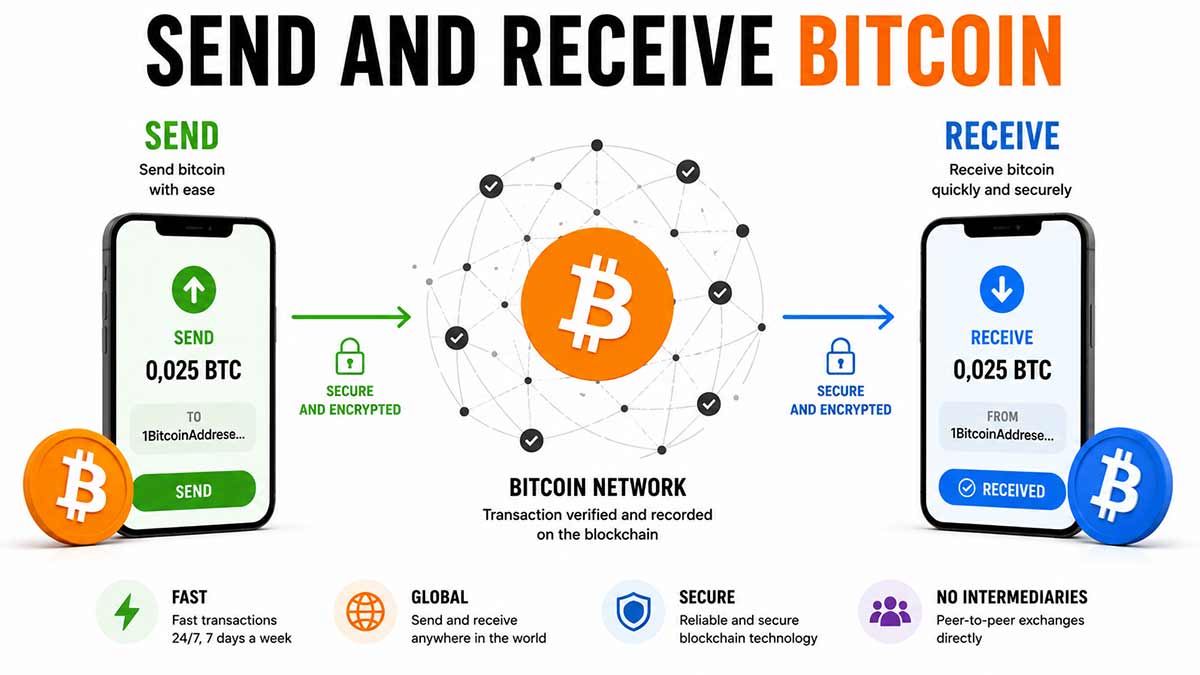
A Bitcoin walletWalletSoftware or device that manages your Bitcoin keys and lets you sign transactions. A wallet does not really « hold » your bitcoins, it holds the keys that prove you own them.See in the lexicon → does not behave like a bank account, even though its interface tries hard to suggest it does. A bank account stores a number, a balance. Bitcoin stores a set of coins called UTXOs (Unspent Transaction Outputs), each with a precise amount inherited from a received transaction.
Sending 0.05 BTC does not subtract 0.05 from a number. The wallet picks one or several UTXOs from the pile, destroys them as inputs, and creates new UTXOs as outputs : one for the recipient, possibly one for yourself (the "change" coming back). Understanding this mechanism clarifies the rest : fees, privacy, the change address, and why an empty-looking wallet can still hold a sleeping UTXOUTXO (Unspent Transaction Output)« Chunk » of bitcoin received and not yet spent. A wallet does not have a single balance, it has a collection of UTXOs whose sum makes up the balance.See in the lexicon →.
This article dissects the anatomy of a transaction, distinguishes address types (legacy, SegWitSegWit (Segregated Witness)Upgrade activated in 2017 that separates signature data from the rest of the transaction. Lowered fees and paved the way for Lightning Network.See in the lexicon →, TaprootTaprootMajor Bitcoin upgrade activated in November 2021 (BIP 341). Brings more privacy, scripting flexibility and the efficiency of Schnorr signatures.See in the lexicon →, Lightning), walks through the practical steps of a send and a receive, and exposes the classic pitfalls (mistyped address, wrong network selected, underestimated fee, accidental double spend via uncontrolled RBFRBF (Replace-By-Fee)Mechanism that lets you replace an unconfirmed transaction with a new one carrying higher fees, in order to speed it up.See in the lexicon →).
The anatomy of a Bitcoin transaction
A Bitcoin transaction is technically a signed message that says "these existing UTXOs become these new UTXOs". Three elements compose it.
- Inputs. The UTXOs being spent. Each input references a past transaction (its ID) and an output index ("the second output of transaction abc123..."). To prove the right to spend, you attach a cryptographic signature produced with the private keyPrivate keySecret number that proves ownership of bitcoins at a given address. Whoever holds the private key holds the bitcoins. Never share it and never store it in plain text.See in the lexicon → associated with the address that held that UTXOUTXO (Unspent Transaction Output)« Chunk » of bitcoin received and not yet spent. A wallet does not have a single balance, it has a collection of UTXOs whose sum makes up the balance.See in the lexicon →. A transaction can have 1 or more inputs: Sparrow lets you pick which ones manually.
- Outputs. The new UTXOs being created. Each output states an amount in satoshis and a spending condition (typically "the signature of address XYZ"). A normal transaction has 2 outputs: the recipient, and the change going back to your change address. A consolidationConsolidation (UTXO batching)Merging several small UTXOs into one during a low-fee period, to avoid paying dearly when spending them later. A common wallet management practice.See in the lexicon → transaction may have only 1 output. A batch transaction may have 10 or 50 (salary payouts for example).
- Implicit fees. Fees are not a separate field. They correspond to the difference between the sum of inputs and the sum of outputs. If you spend 1,000,000 sats of inputs and create 999,500 sats of outputs, the leftover 500 sats go to the minerMinerComputer or farm of computers that solves the cryptographic puzzle required to add a new block to the blockchain, in exchange for a bitcoin reward.See in the lexicon → who includes the transaction. That is what is called "the fees".
Four steps structure a transaction's lifecycle.
- Construction. Your walletWalletSoftware or device that manages your Bitcoin keys and lets you sign transactions. A wallet does not really « hold » your bitcoins, it holds the keys that prove you own them.See in the lexicon → selects the UTXOs to spend, computes the change, adds the desired fees, builds the transaction. Stays on your machine.
- Signature. The wallet (or the hardware walletHardware walletSmall dedicated device (Ledger, Trezor, Coldcard, BitBox, etc.) that keeps the private key away from a potentially compromised computer. Signs transactions inside the device itself.See in the lexicon → in self-custodySelf-custodyModel in which you hold your own private keys. Your bitcoins depend on no third party. This is Bitcoin's founding promise.See in the lexicon →) signs each input with the matching private key. The signature cryptographically proves you are the rightful owner, without revealing the key.
- Broadcast. The signed transaction is sent to the Bitcoin network, which circulates it between nodes. Each one verifies it is valid (correct signatures, existing UTXOs not already spent), then adds it to its mempoolMempoolWaiting area where Bitcoin transactions sit before being included in a block. The fuller the mempool, the higher the fees required.See in the lexicon →.
- Inclusion in a block. Every ~10 minutes, a miner finds a valid block and typically includes several thousand transactions, prioritising those paying the highest fee per byte. Your transaction then moves from "unconfirmed" to "1 confirmation". Each block stacking on top adds another confirmation.
Practical consequence one: the size of a transaction in bytes, not its amount, determines fees. A transaction spending 50 small UTXOs weighs 5,000 bytes and costs 25 EUR in fees at 5 sat/vbyte. A transaction spending 1 large UTXO weighs 200 bytes and costs 1 EUR at the same fee. That is why a "clean" wallet (few well-sized UTXOs) is cheaper to use than a wallet full of dust.
Practical consequence two: an unconfirmed transaction is in the mempool, not lost. If it stalls because of too-low fees, it can be replaced (replace-by-fee) or pushed (child-pays-for-parent) without losing anything. See the recovering lost bitcoins article for the exact techniques.
The 4 Bitcoin address formats in 2026
Bitcoin has evolved technically between 2009 and 2026, and each major evolution introduced a more efficient address format. Four still coexist, and knowing which to choose saves fees and errors.
| Format | Prefix | Year | Fee saving | When to use |
|---|---|---|---|---|
| Legacy (P2PKH) | 1... | 2009 | Reference (100 %) | Compatibility with a single very old walletWalletSoftware or device that manages your Bitcoin keys and lets you sign transactions. A wallet does not really « hold » your bitcoins, it holds the keys that prove you own them.See in the lexicon → |
| Wrapped SegWitSegWit (Segregated Witness)Upgrade activated in 2017 that separates signature data from the rest of the transaction. Lowered fees and paved the way for Lightning Network.See in the lexicon → (P2SH-P2WPKH) | 3... | 2017 | ~25 % saving | Compatibility with 2017-2020 wallets |
| Native SegWit (P2WPKH, bech32) | bc1q... | 2017 | ~30 % saving | 2020-2024 standard, still broadly supported |
| TaprootTaprootMajor Bitcoin upgrade activated in November 2021 (BIP 341). Brings more privacy, scripting flexibility and the efficiency of Schnorr signatures.See in the lexicon → (P2TR, bech32m) | bc1p... | 2021 | ~40 % saving | 2026 default recommendation |
Five useful technical differences between formats.
- Size in bytes. A legacy 1... address weighs 25 bytes in a transaction. A native SegWit bc1q... weighs ~22 bytes. A Taproot bc1p... weighs ~22 bytes but allows multisigMultisig (multi-signature)Configuration where a transaction must be signed by several independent keys to be valid (for example 2 of 3). Reduces the risk that a single key theft causes loss of funds.See in the lexicon → transactions at a cost equivalent to a simple address, huge benefit.
- Checksum verification. Bech32 addresses (bc1q and bc1p) embed a very robust error-detecting code. If you type manually, a one-character mistake is almost always caught by the wallet, which refuses sending. Legacy 1... addresses have a weaker checksum: a typo can slip through and send funds into the void.
- Case sensitivity. Bech32 addresses (bc1q, bc1p) are case-insensitive: `BC1Q...` = `bc1q...`. Legacy 1... and wrapped SegWit 3... are case-sensitive. Consequence: a bech32 QR codeQR codeTwo-dimensional barcode, ubiquitous in Bitcoin: addresses, Lightning invoices, payment URIs. Always check the decoded amount and address before confirming.See in the lexicon → works even in poor light, where a legacy can be misread.
- Multisig visibility. A native or wrapped SegWit address reveals in the transaction that it is a multisig (script length). A Taproot address makes an n-of-n multisig indistinguishable from a simple address: enhanced privacy and reduced fees. That is why modern multisig (cf. multisig article) uses Taproot when possible.
- Receiving compatibility. All 2026 wallets accept sending to the 4 formats. On reception, some old wallets only generate bc1q... or 3.... Modern wallets (Sparrow, Electrum, Phoenix, Muun, BlueWallet) generate Taproot bc1p by default.
Three 2026 practical recommendations.
- Receive in Taproot. Configure your wallet to generate bc1p... addresses by default. Saves fees on all your future outgoing spends.
- Send to the format requested. Do not convert a 1... address to bc1q... by hand: it is technically impossible and sending to a wrong address loses the funds. If the recipient gives you `1XYZ...`, that is the address to use.
- Keep a legacy wallet in reserve if needed. A few rare old platforms (typically Asian exchanges from before 2018) only support 1... or 3... for withdrawals. Having a wallet able to receive in legacy stays useful for those marginal cases.
Receiving on-chain in practice
Receiving a Bitcoin on-chain transaction unfolds in four steps. None is urgent: taking 30 seconds per step avoids mistakes.
- Generate a receiving address. In Sparrow or Electrum, "Receive" tab, "Get new address" button. The walletWalletSoftware or device that manages your Bitcoin keys and lets you sign transactions. A wallet does not really « hold » your bitcoins, it holds the keys that prove you own them.See in the lexicon → pulls the next address from its derivation and shows it, along with a QR codeQR codeTwo-dimensional barcode, ubiquitous in Bitcoin: addresses, Lightning invoices, payment URIs. Always check the decoded amount and address before confirming.See in the lexicon →. You can add a label ("Marie's gift", "May salary") and a suggested amount.
- Transmit the address to the sender. Three common channels. QR code: the sender scans with their mobile wallet, the simplest. Copy-paste: copy the address text and send via messenger (Signal, email). Check nothing was inserted during the copy. Manual reading: avoid unless required, typing 42 characters without error is risky.
- Wait for confirmation. As soon as the sender broadcasts, your wallet sees the transaction in the mempoolMempoolWaiting area where Bitcoin transactions sit before being included in a block. The fuller the mempool, the higher the fees required.See in the lexicon → (status "unconfirmed" or "0/1 confirmation"). Block inclusion delay depends on fees paid: 10 minutes on average at standard fees. For small amounts between friends, 0 confirmation is enough. For large payments, wait for 3 to 6 confirmations.
- VerifyDon't trust, verifyBitcoiner mantra. Trust no one (bank, government, exchange, influencer), verify on your own through your own node.See in the lexicon → on mempool.spacemempool.spaceReference open-source Bitcoin explorer in 2026. Visualisation of blocks, fees and the mempool. Launched by Wiz and the mempool.space team.See in the lexicon → (optional). Paste your receiving address in mempool.space's search bar to see the on-chain history. Useful to confirm a received transaction or follow an outgoing one. The page shows confirmations, fees, size and propagation path.
Four 2026 best practices to make routine.
- One address per receipt. Never reuse an address. That is privacy rule number one: reusing lets an observer aggregate all transactions tied to that address, hence to your wallet. Sparrow, Electrum, Phoenix automatically generate a new address on every "Get new address".
- Check the format. If your wallet is set to TaprootTaprootMajor Bitcoin upgrade activated in November 2021 (BIP 341). Brings more privacy, scripting flexibility and the efficiency of Schnorr signatures.See in the lexicon → but you still have an old version generating bc1q..., change the settings to bc1p.... Funds received in bc1q... remain accessible, only the new receiving address changes.
- Label upon receipt. Sparrow and Electrum let you add a comment to each transaction. "May 2026 salary", "Bike sale", "DCADCA (Dollar Cost Averaging)Buying a small fixed amount at regular intervals (for example 100 EUR a week), regardless of price. Smooths the average purchase cost and neutralises timing bias.See in the lexicon → Pocket 17/05": looks trivial at the moment, becomes precious 6 months later for tax bookkeeping.
- Monitor via xpubxpub (extended public key)Extended public key. Lets a read-only wallet see addresses and balances without being able to sign. Used for tracking and observation.See in the lexicon → if self-custodySelf-custodyModel in which you hold your own private keys. Your bitcoins depend on no third party. This is Bitcoin's founding promise.See in the lexicon →. An xpub (extended public keyPublic keyNumber derived mathematically from the private key, used to build a Bitcoin address. Can be shared freely.See in the lexicon →) lets a watching-only wallet see all derived addresses without access to private keys. Useful to follow a cold storageCold storageStoring bitcoins on an offline wallet that is not connected to the Internet. Maximum security for amounts you are not spending.See in the lexicon → from your phone without exposing the keys. Sparrow and Electrum allow xpub import in two clicks.
Practical case. You receive your first salary in Bitcoin via Bitwage (~500 EUR). Bitwage asks for a receiving address. You open Sparrow, set to Taproot, Receive tab. "Get new address" generates `bc1pxy...`. Label "May 2026 salary". You copy the address, paste it into Bitwage's form. Confirm. Bitwage buys sats on the partner exchangeExchangeService that lets you buy, sell and swap cryptocurrencies against fiat money. Examples : Kraken, Coinbase, Bitstamp, Bitvavo. Most are custodial.See in the lexicon → (Strike, Pocket per region) and sends. 15 minutes later, Sparrow notifies you "+0.01234 BTC received". The transaction goes "1 confirmation" at 22:14, "6 confirmations" at 23:04. You are officially paid.
Sending on-chain step by step
Sending requires more vigilance than receiving: an address mistake sends funds into the void, with no recourse. The standard procedure with Sparrow or Electrum unfolds in six steps.
- Get the recipient address. Ideally via QR codeQR codeTwo-dimensional barcode, ubiquitous in Bitcoin: addresses, Lightning invoices, payment URIs. Always check the decoded amount and address before confirming.See in the lexicon → (scanned directly in Sparrow) or by copy-paste from a trusted channel (Signal end-to-end, email). Avoid SMS, Telegram, Discord for large amounts: malware interception or social engineering risk.
- VerifyDon't trust, verifyBitcoiner mantra. Trust no one (bank, government, exchange, influencer), verify on your own through your own node.See in the lexicon → the address. Compare the first 4 and last 4 characters with the recipient (by phone, or showing the screen). A clipboard attack silently replaces the copied address with the attacker's: end-to-end verification is the only defence.
- Enter the amount. In BTC (0.01234), in sats (1,234,000), or in EUR/CHF with automatic conversion at the day's rate. Sparrow and Electrum allow all three. Double-check the number of zeros: 0.001 BTC and 0.01 BTC are 10x apart.
- Pick the fee level. Three or four options per walletWalletSoftware or device that manages your Bitcoin keys and lets you sign transactions. A wallet does not really « hold » your bitcoins, it holds the keys that prove you own them.See in the lexicon →. Economic: 1 to 5 sat/vbyte, confirmation in 1 to 12 hours. Standard: 5 to 15 sat/vbyte, confirmation within the hour. Fast: 15 to 50 sat/vbyte, confirmation in the next block (10 min). For an urgent merchant payment, fast. For an asset consolidationConsolidation (UTXO batching)Merging several small UTXOs into one during a low-fee period, to avoid paying dearly when spending them later. A common wallet management practice.See in the lexicon →, economic.
- Sign. Depending on your setup. Pure software wallet: enter the wallet password, instant signature. Hardware walletHardware walletSmall dedicated device (Ledger, Trezor, Coldcard, BitBox, etc.) that keeps the private key away from a potentially compromised computer. Signs transactions inside the device itself.See in the lexicon →: Sparrow sends the unsigned transaction (PSBTPSBT (Partially Signed Bitcoin Transaction)Standard format (BIP 174) that lets you build a transaction on one device, sign it on another and broadcast it from a third. Backbone of the modern multisig workflow.See in the lexicon →) to the device, you verify the recipient and amount on the device's screen, you physically confirm with a button. That physical step is what makes the hardware wallet robust against malware.
- Broadcast. "Broadcast" button. Sparrow sends the signed transaction to the mempoolMempoolWaiting area where Bitcoin transactions sit before being included in a block. The fuller the mempool, the higher the fees required.See in the lexicon →. Visual confirmation "Transaction sent", transaction ID (txid) shown. Copy the ID to follow on mempool.spacemempool.spaceReference open-source Bitcoin explorer in 2026. Visualisation of blocks, fees and the mempool. Launched by Wiz and the mempool.space team.See in the lexicon →.
Five pitfalls to avoid.
- Clipboard hijacking. A Windows or Android malware replaces every copied Bitcoin addressBitcoin addressString of characters that identifies a destination for receiving bitcoins. Four main formats, starting with 1..., 3..., bc1q... or bc1p... (Taproot, the recommended format in 2026).See in the lexicon → with the attacker's. Only visible if you compare the first 4 and last 4 characters visually. Sparrow flags weird addresses, but the sophisticated attack copies a similar-format address to slip by.
- Amount in wrong unit. Entering 0.1 instead of 0.01 sends 10 times more than intended. Always check the EUR/CHF equivalent displayed: if you wanted to pay 50 EUR and Sparrow shows 500 EUR, anomaly.
- Change address choice. Sparrow and Electrum auto-manage the change address where the change goes back. Do not disable that management in expert mode without knowing: sending the entire UTXOUTXO (Unspent Transaction Output)« Chunk » of bitcoin received and not yet spent. A wallet does not have a single balance, it has a collection of UTXOs whose sum makes up the balance.See in the lexicon → without change is rarely what you want.
- Zero fees. Entering 0 sat/vbyte builds a transaction that will never be mined and will stay in the mempool until expiry (14 days). Sparrow refuses below 1 sat/vbyte. If you really want to pay almost nothing, pick 1 sat/vbyte minimum.
- Without RBFRBF (Replace-By-Fee)Mechanism that lets you replace an unconfirmed transaction with a new one carrying higher fees, in order to speed it up.See in the lexicon →. Always enable the "Replace-by-fee" (RBF) flag at send time. If the transaction stalls, you can rebroadcast with higher fees. Without RBF, you are stuck until confirmation or expiry. Sparrow and Electrum enable RBF by default since 2023.
Receiving and sending on Lightning: 3 formats
Lightning NetworkLightning NetworkSecond-layer payment network on top of Bitcoin. Enables near-instant and near-free payments through channels opened between users.See in the lexicon → does not work with addresses like on-chain. Three formats coexist in 2026, each suited to one use.
| Format | Look | Reusable | Typical use |
|---|---|---|---|
| BOLT11BOLT11Standard format for a Lightning invoice, as a character string or QR code. An invoice is single-use, with an amount and an expiry date.See in the lexicon → invoice | `lnbc100u1p...` (long) | No, expires after ~1 h | Precise one-shot payment (invoice) |
| Lightning AddressLightning AddressEmail-style address (alice@strike.me) that lets you receive Lightning payments without generating an invoice each time.See in the lexicon → | `alice@walletofsatoshi.com` | Yes, permanent | P2PP2P (peer-to-peer)Direct exchange between two people, with no centralised platform in between. Bisq, HodlHodl and AgoraDesk are P2P platforms.See in the lexicon →, tips, informal payment |
| BOLT12BOLT12More modern Lightning invoice format (offer) that allows reuse and better privacy.See in the lexicon → offer | `lno1pg...` (semi-long) | Yes, permanent and private | Subscriptions, recurring donations |
BOLT11 invoice. The legacy format, still majority in 2026. The recipient generates an invoice for a fixed amount (e.g. 1,000 sats), with a description ("coffee at Pasticceria Marnin"), and a validity (typically 1 h). The sender scans or pastes the invoice, the walletWalletSoftware or device that manages your Bitcoin keys and lets you sign transactions. A wallet does not really « hold » your bitcoins, it holds the keys that prove you own them.See in the lexicon → auto-decodes, shows the amount and description, asks confirmation, pays in 2 seconds. Pros: precision (exact amount), traceability (the invoice carries the description). Cons: expires, non-reusable, long and thus heavy to transmit.
Lightning Address. Modern format (LNURLLNURLFamily of standards that simplifies Lightning usage: reusable QR codes, withdrawals, authentication. Complemented by readable Lightning Addresses (user@domain).See in the lexicon →-pay underneath, invisible to the user), designed to look like an email. `alice@walletofsatoshi.com`, `bob@strike.me`, `carla@phoenix.acinq.co`. The sender types the address, enters the amount themselves, confirms. The recipient's wallet receives in 2 seconds. Pros: permanent (the address holds for months or years), simple (email-like), free amount. Cons: requires an LNURL server on the recipient side (typically run by the wallet), slightly less private (the recipient's server sees who paid whom).
BOLT12 offer. Format introduced in 2024 by Core Lightning, progressively adopted on Phoenix, LND and other wallets in 2026. An "offer" is a reusable and confidential payment format: no central LNURL server, the offer directly encodes the return paths to the recipient. Ideal for subscriptions (Patreon-style payment in sats), recurring donations (streaming sats on Podcasting 2.0), and merchants wanting a unique permanent Lightning address without third-party dependency.
Common send procedure. Scan or paste the invoice / Lightning Address / offer into the wallet (Phoenix, Muun, Aqua, BlueWallet, Wallet of SatoshiSatoshi (sat)The smallest unit of bitcoin. 1 BTC = 100 million satoshis. Named after the creator. In 2026, talking in sats becomes common as the price of one BTC rises.See in the lexicon →, Sparrow Lightning). The wallet auto-detects the format, decodes, shows the amount and fees (typically 0.001 to 0.01 EUR), asks confirmation, sends. If Lightning routing fails (rare in 2026), the wallet retries or offers to fall back on-chain for compatible amounts.
Common receive procedure. "Receive" tab of the wallet, pick Lightning, set the amount if BOLT11 (or leave free if Lightning Address / BOLT12). The wallet generates the invoice or shows your Lightning Address. Transmit by QR or copy-paste. The payment arrives instantly when the sender confirms, the wallet notifies and shows the new balance.
Three key differences to remember between on-chain and Lightning so you do not mix up in practice.
- Delay and finality. On-chain: 10 min on average for 1 confirmation, reversible up to several blocks later in theory. Lightning: 2 seconds, immediately final.
- Fees. On-chain: 0.30 to 30 EUR depending on mempoolMempoolWaiting area where Bitcoin transactions sit before being included in a block. The fuller the mempool, the higher the fees required.See in the lexicon →. Lightning: 0.001 to 0.01 EUR regardless of amount (up to channel limits).
- Capacity. On-chain: unlimited. Lightning: limited by wallet channels, typically 50,000 to 5,000,000 sats (15 EUR to 1,500 EUR in 2026). Beyond, switch to on-chain.
QR codes, BIP21 URIs and hybrid conventions
To smooth the payment gesture, several conventions package a full payment request into a scannable format. Three standards to know in 2026.
- Simple BIP21 URI. Historical on-chain format. `bitcoin:` prefix followed by the address, optional query-string parameters. Example:
bitcoin:bc1pxy...?amount=0.00250&label=Cafe%20Marnin. The walletWalletSoftware or device that manages your Bitcoin keys and lets you sign transactions. A wallet does not really « hold » your bitcoins, it holds the keys that prove you own them.See in the lexicon → scans, pre-fills the address, amount, and description. No manual entry. Standard supported by all wallets since 2012. - Lightning URI. `lightning:` prefix followed by the BOLT11BOLT11Standard format for a Lightning invoice, as a character string or QR code. An invoice is single-use, with an amount and an expiry date.See in the lexicon → invoice or the Lightning AddressLightning AddressEmail-style address (alice@strike.me) that lets you receive Lightning payments without generating an invoice each time.See in the lexicon →. Example:
lightning:lnbc100u1p3...orlightning:alice@walletofsatoshi.com. Lets you open the Lightning wallet directly on mobile by tapping a web link. - Hybrid BIP21 URI. Modern (2023-2024) format combining on-chain and Lightning in a single string. Example:
bitcoin:bc1pxy...?amount=0.00250&lightning=lnbc100u1p3.... The user wallet picks the layer based on capability: Lightning if available and amount compatible, otherwise on-chain. Adopted by BTCPay Server, Strike, and most 2026 wallets. De facto standard for merchants.
Hybrid usage case. You are at La Pasticceria Marnin in LuganoLugano (Plan ₿)Swiss city that launched a Bitcoin adoption programme in 2022 (tax payments, shops, events). The annual Plan B Forum has become a European fixture.See in the lexicon →, the waiter holds out their iPad with a QR codeQR codeTwo-dimensional barcode, ubiquitous in Bitcoin: addresses, Lightning invoices, payment URIs. Always check the decoded amount and address before confirming.See in the lexicon →. You scan with Phoenix. Phoenix decodes and sees two options in the hybrid URI: Lightning at 1,000 sats, or on-chain at 1,000 sats. Since Phoenix has an open Lightning channelLightning channel2-of-2 multisig between two participants that lets them exchange sats off-chain as many times as they like, until they close the channel and publish the final balance on Bitcoin.See in the lexicon → with enough capacity, it picks Lightning automatically. 2 seconds later, payment confirmed. Had Phoenix had a Lightning issue (full channels say), it would have fallen back on-chain without asking you anything.
Three QR conventions to know on the merchant side.
- Static QR (Lightning Address or BOLT12BOLT12More modern Lightning invoice format (offer) that allows reuse and better privacy.See in the lexicon →). A QR printed on the menu, never expiring, free amount. Ideal for tips or informal payments. The merchant must handle manual reconciliation (who paid how much) because no description is attached.
- Dynamic QR (BOLT11 or hybrid with amount). Generated by BTCPay Server at billing time, carries the exact amount and a description ("Table 5, 47.80 CHF"). Expires after 15 minutes. The merchant automatically sees the payment arrive and marks the table as paid.
- NFC tap-to-pay. Growing adoption on Phoenix and Aqua in 2026. The merchant and the client put their phones close, NFC exchangeExchangeService that lets you buy, sell and swap cryptocurrencies against fiat money. Examples : Kraken, Coinbase, Bitstamp, Bitvavo. Most are custodial.See in the lexicon →, 1-second Lightning payment with no QR. Less universal than QR but faster in-store.
One 2026 best practice for merchants: print a sticker with a static Lightning Address QR in the storefront for tips or informal payments, and use BTCPay Server with dynamic QR at checkout for formal sales. Covers 100 % of cases, maximum ergonomy for the client.
Disclaimer
Educational and informational content only: not investment, tax or legal advice. Bitcoin carries significant risks, including high volatility and the possible loss of invested capital. Each reader remains responsible for their decisions; when in doubt, consult a qualified professional in your jurisdiction.
Going further
Sending and receiving are the founding gestures. To dig into each related brick:
- Lightning wallets: pick between Phoenix, Muun, Aqua, BlueWallet, WalletWalletSoftware or device that manages your Bitcoin keys and lets you sign transactions. A wallet does not really « hold » your bitcoins, it holds the keys that prove you own them.See in the lexicon → of SatoshiSatoshi (sat)The smallest unit of bitcoin. 1 BTC = 100 million satoshis. Named after the creator. In 2026, talking in sats becomes common as the price of one BTC rises.See in the lexicon → by use and sovereignty level.
- Mobile wallet: daily ergonomy, 2026 mobile-wallet landscape.
- Hardware wallet: why signing on a dedicated device changes robustness, LedgerLedger, Trezor, Coldcard, BitBoxMain hardware wallet brands. Ledger Nano S Plus / X (French, the best-seller), Trezor Model T (Czech, open source), Coldcard Mk4 (Canadian, ultra-secure, Bitcoin-only), BitBox02 (Swiss, open source).See in the lexicon → / TrezorLedger, Trezor, Coldcard, BitBoxMain hardware wallet brands. Ledger Nano S Plus / X (French, the best-seller), Trezor Model T (Czech, open source), Coldcard Mk4 (Canadian, ultra-secure, Bitcoin-only), BitBox02 (Swiss, open source).See in the lexicon → / ColdcardLedger, Trezor, Coldcard, BitBoxMain hardware wallet brands. Ledger Nano S Plus / X (French, the best-seller), Trezor Model T (Czech, open source), Coldcard Mk4 (Canadian, ultra-secure, Bitcoin-only), BitBox02 (Swiss, open source).See in the lexicon → / BitBoxLedger, Trezor, Coldcard, BitBoxMain hardware wallet brands. Ledger Nano S Plus / X (French, the best-seller), Trezor Model T (Czech, open source), Coldcard Mk4 (Canadian, ultra-secure, Bitcoin-only), BitBox02 (Swiss, open source).See in the lexicon → choice.
- Recovering lost bitcoins: if you have a stuck transaction (RBFRBF (Replace-By-Fee)Mechanism that lets you replace an unconfirmed transaction with a new one carrying higher fees, in order to speed it up.See in the lexicon →, CPFPCPFP (Child Pays For Parent)Alternative to RBF where a high-fee child transaction pulls its stuck parent out of the mempool.See in the lexicon →), a dust or a partial seed, the full article.
To place sending and receiving back in the global journey:
- Use Bitcoin guide: overview of 2026 use cases.
- Store Bitcoin guide: securing the sats you just received before using them.